All the (Performance & QoL) Mods modpack page
- Downloads
- 3.3K
- Mod loaders
- fabric
- Minecraft versions
- 1.19.3
- Categories
- optimization
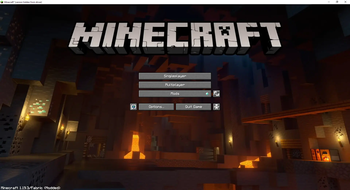
All the (Performance & QoL) Mods screenshots
About this modpack
All the (Performance & QoL) Mods
A collection of (almost) all the clientside performance and quality of life mods. The difference here is that the goal isn't to get 100+ fps but to be able to enable super duper shaders + awesome resource packs and get at least 30 fps.
for when Graphics > Performance
Modpack (should be/)is compatible with vanilla servers. (as in you can join vanilla servers with basically no problems)
Stuff
- Link to Xaero's Minimap: https://www.curseforge.com/minecraft/mc-mods/xaeros-minimap (here cuz licence reasons,) (cuz for some reason the latest version isn't on modrinth)
Mods that you will have to manually download (cuz they aren't allowed on modrinth)
- Freecam: https://www.curseforge.com/minecraft/mc-mods/free-cam/download/4203516
- Clickable advancements: https://www.curseforge.com/minecraft/mc-mods/clickable-advancements/download/4258161
Known Issues
- sometimes when you press certain keys, the GUI gets messed up
- will fix as soon as I track down which mod is causing this
- refill (item/bocks) doesn't really work when there's something in the offhand
- some resourcepack error causes the font to sometimes turn red (should go away when you load/join a world/server)
Modpack wiki coverage
Orca uses the project's published metadata and version files as the source of truth. Item, block, mob, recipe, structure, dimension, GUI, and mechanic pages are added after their included mod files are extracted and attributed.