- Downloads
- 5.9K
- Mod loaders
- fabric
- Minecraft versions
- 1.21.11, 1.21.10, 1.21.9, 1.21.8, 1.21.5, 1.21.4, 1.21.1, 1.20.4, 1.20.2, 1.20.1, 1.19.2
- Categories
- lightweight, multiplayer, optimization
All Of Utility 2 screenshots
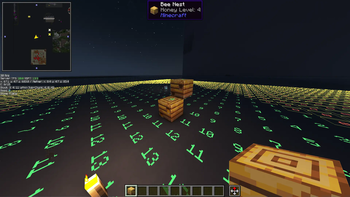
About this modpack
All of Utility 2 - Client Utility Modpack
All of Utility 2 is a continuously updated, client-side–focused utility modpack for advanced survival, technical gameplay, building, and multiplayer servers. It is not tied to a single Minecraft version and has been maintained across multiple game releases.
---
⚠️ Project Status & New Version
All of Utility 2 is no longer actively maintained.
- The project has moved to a new, updated version:
➡️ All of Utility 3
- Starting from version 26.1.2 and above, all future development continues on the new page.
- All of Utility 2 remains functional on the Minecraft versions it originally supported, but it will no longer receive updates or new features.
---
🎯 Intended Audience
- Technical and redstone-focused players
- Builders working on large-scale projects
- Multiplayer players who rely on advanced client tools
- Players who want a powerful but configurable client setup
---
🔄 Versioning & World Rendering
- The modpack exists in multiple Minecraft versions
- World-rendering mods depend on the Minecraft version:
- Older versions: Bobby and/or Voxy
- Minecraft 1.21.11+: Voxy only
- Rendering mods are selected to ensure best compatibility and performance per version
---
⚡ Performance & Optimization
Focused on high FPS, low latency, and efficient memory usage:
- Sodium, Lithium, FerriteCore, Krypton
- Entity Culling, More Culling, ImmediatelyFast
- Dynamic FPS, GPU Tape, Nvidium (when supported)
---
🗺️ Exploration, Maps & Navigation
Advanced tools for exploration and multiplayer coordination:
- Xaero’s Minimap & World Map (+ XaeroPlus)
- Waypoints, direction helpers, client-side map utilities
- Extended render distance via Bobby or Voxy (depending on version)
---
🧱 Building, Redstone & Technical Gameplay
Strong focus on technical Minecraft and redstone work:
- Litematica (+ optional printers)
- Tweakeroo, Tweakermore, MiniHUD, ItemScroller, ChunkDebug
- Carpet and multiple Carpet-based additions
- WorldEdit (client-side usage)
- Axiom, DBTools, Chunk utilities
---
🎨 Visual Enhancements
Visual upgrades without sacrificing performance:
- Not Enough Animations
- Entity Texture & Model Features
- Continuity, Better Clouds, Smooth Skies
- Skin Layers 3D, Wavey Capes
- Ambient Environment, particle and lighting improvements
---
🔊 Audio & Immersion
Enhanced spatial and environmental sound:
- Presence Footsteps
- Sound Physics Remastered
- Drip Sounds
- AudioPlayer
- Ambient and environmental audio mods
---
🎙️ Multiplayer & Server Interaction
- Simple Voice Chat + voice-related extensions
- Replay Mod (+ voice integration)
- Many mods unlock additional features when corresponding server mods are installed
- Designed to integrate smoothly with modded or semi-modded servers
---
🔀 Modular & Flexible Design
- Some mods are disabled by default
- Alternatives are included where possible
- Players can switch between mods to:
- Gain specific functionality
- Avoid conflicts
- Match server rules or personal preferences
---
⚠️ Important Notice
> WARNING: > This modpack contains client-side utilities that may be considered cheating on some servers > (e.g. Litematica, MiniHUD, Tweakeroo, Carpet-based features).
---
✅ Server Compatibility
- Allowed on Mainstay SMP
- Client-side only (no server installation required)
- Many features scale based on server-side mod support
- Always follow the rules of the server you play on
---
All of Utility 2 prioritizes precision, information, and adaptability over vanilla balance.
Modpack wiki coverage
Orca uses the project's published metadata and version files as the source of truth. Item, block, mob, recipe, structure, dimension, GUI, and mechanic pages are added after their included mod files are extracted and attributed.