Boosted FPS Fabric Edition modpack page
- Downloads
- 27.8K
- Mod loaders
- fabric
- Minecraft versions
- 1.20.1
- Categories
- lightweight, optimization
Boosted FPS Fabric Edition screenshots
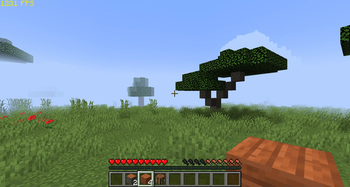
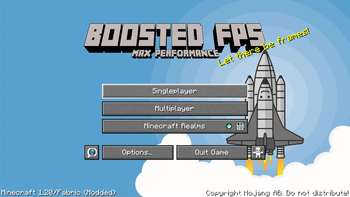
About this modpack
<p><a href="https://www.bisecthosting.com/gamerpotion" rel="nofollow"><img src="https://media.forgecdn.net/attachments/443/458/bisect.png" /></a></p> <p> </p> <p><strong><img src="https://i.ibb.co/7nr9m0q/Boosted-FPS.png" alt="" width="586" height="78" /></strong></p> <p> </p> <p><a href="https://ko-fi.com/gamerpotion" rel="nofollow"><img src="https://img.shields.io/badge/buy me a coffee-support-orange?style=for-the-badge" /></a> <a href="https://discord.gg/uCPfPBvsRJ" rel="nofollow"><img src="https://img.shields.io/badge/chat-discord-blue?style=for-the-badge" /></a> <a href="https://www.curseforge.com/members/gamerpotion/projects" rel="nofollow"><img src="https://img.shields.io/badge/my other-projects-orange?style=for-the-badge" /></a> <a href="https://www.bisecthosting.com/gamerpotion" rel="nofollow"><img src="https://img.shields.io/badge/get a server-click here-blue?style=for-the-badge" /></a></p> <p> </p> <p> <span style="font-size: 24px;"><strong>Fabric Based Modpack featuring Performance Based Mods and Tweaks to make your Minecraft game run better and faster! Sodium is fully supported (read config below).<br /></strong></span></p> <p> </p> <p><img src="https://i.ibb.co/LdG4vgH/Features.png" alt="" width="403" height="64" /></p> <p><img src="https://media.forgecdn.net/attachments/675/498/2023-06-1023.png" width="1127" height="634" /></p> <p> </p> <p><span style="font-size: 14px;">(Your Vanilla Experiences will be further improved thanks to the following features)</span></p> <ul> <li><span style="font-size: 14px;">Latest update - Enjoy the latest update with mods!</span></li> <li><span style="font-size: 14px;">FPS performance boosts thanks to Sodium port and other performance enhancing mods. Most of the Fabric performance based mods are included in this pack.</span></li> <li><span style="font-size: 14px;">Mod Config - Shows a Mods button in game menu to list mods installed (Mods settings can also be configured here)</span></li> <li><span style="font-size: 14px;">Additional QoL (Quality of Life) mods to make your Minecraft game experience more enjoyable.</span></li> <li><span style="font-size: 14px;">Hypixel Ready - Hypixel sever pre-loaded, just install and play!</span></li> </ul> <p> </p> <p><strong>Vanilla (No Mods) FPS:</strong></p> <p><img src="https://i.ibb.co/mFgNnsD/vanilla-screenshot.jpg" /></p> <p> </p> <p><strong>Boosted FPS Modpack:</strong></p> <p><img src="https://i.ibb.co/rMZBCHR/boosted-screenshot.jpg" /></p> <p> </p> <p><a href="https://www.bisecthosting.com/gamerpotion" rel="nofollow"><img src="https://media.forgecdn.net/attachments/434/158/dec51e74-03ba-4abb-920c-bdc47a4e302a.png" width="602" height="399" /></a></p> <p> </p> <p><img src="https://i.ibb.co/P6pJTy8/Config.png" alt="" width="270" height="86" /></p> <ul> <li><span style="font-size: 14px;">Render Distance has been set to a low value (example 5) to maximize FPS. Increase this to 8 or higher to see more distance. You can change this in Options / Video Settings / General / Render Distance.</span></li> <li><span style="font-size: 14px;">Getting higher FPS than your refresh rate or seeing screen tearing? Turn on VSync in Options / Video Settings / General</span></li> <li><span style="font-size: 14px;">Enable shaders in the shaderpacks section in Video Settings (if you system can handle it)</span></li> </ul> <p> </p> <p><iframe allowfullscreen="allowfullscreen" src="https://www.youtube.com/embed/FAv8Axl7GIo?wmode=transparent" height="358" width="638"></iframe></p> <p><iframe allowfullscreen="allowfullscreen" src="https://www.youtube.com/embed/9mN4mjBuPXA?wmode=transparent" height="358" width="638"></iframe></p> <p><iframe allowfullscreen="allowfullscreen" src="https://www.youtube.com/embed/fYFU4QtCzEw?wmode=transparent" height="358" width="638"></iframe></p> <p><iframe allowfullscreen="allowfullscreen" src="https://www.youtube.com/embed/Ge32Bcch5UY?wmode=transparent" height="358" width="638"></iframe></p> <p><iframe allowfullscreen="allowfullscreen" src="https://www.youtube.com/embed/pmiSOeedr3k?wmode=transparent" height="358" width="638"></iframe></p> <p><iframe allowfullscreen="allowfullscreen" src="https://www.youtube.com/embed/3g58tPSTmpQ?wmode=transparent" height="358" width="638"></iframe></p> <p> </p> <p><a href="https://www.youtube.com/c/Gamerpotionplus/videos"><img src="https://i.ibb.co/M280hf0/gp-subscribe.jpg" alt="YouTube Channel" /></a></p> <p> </p> <p><a href="https://www.ko-fi.com/gamerpotion"><img src="https://storage.ko-fi.com/cdn/brandasset/kofibgtagdark.png" width="341" height="129" /></a></p>
Modpack wiki coverage
Orca uses the project's published metadata and version files as the source of truth. Item, block, mob, recipe, structure, dimension, GUI, and mechanic pages are added after their included mod files are extracted and attributed.