- Downloads
- 3.5K
- Mod loaders
- fabric, forge
- Minecraft versions
- 1.21.1, 1.20.1, 1.19.2
- Categories
- multiplayer, technology
Cinema screenshots

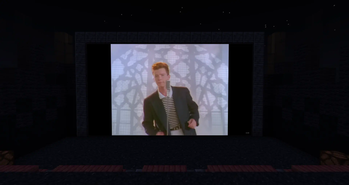
About this modpack
A simple modpack for watch media inside the game.
!Look
Great if you want to watch something with friends but you get bored with a simple Discord stream
!Rick
And you can use emotes of your favorite Twitch streamers.
How to use:
- Place the Frame, Projector, or Television
- Press Shift+RMB to configure settings
- For added convenience, Shift+RMB while holding the "Remote Control" to control playback remotely.
- To avoid unnecessary client desync issues, wait until everyone is connected to the server and close to the screen.
- Enjoy!
(A list of supported sites can be found on the WATERFrAMES page. Jellyfin stream URL is also supported.)
If you're too lazy to build everything, you can download a ready-made map from Planet Minecraft.
Modpack wiki coverage
Orca uses the project's published metadata and version files as the source of truth. Item, block, mob, recipe, structure, dimension, GUI, and mechanic pages are added after their included mod files are extracted and attributed.