Dysphoric's VR Modpack modpack page
- Downloads
- 2K
- Mod loaders
- fabric
- Minecraft versions
- 1.20.1
- Categories
- lightweight, optimization
Dysphoric's VR Modpack screenshots
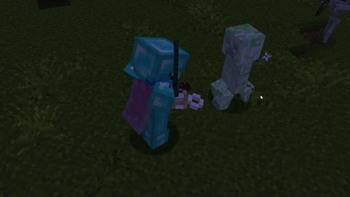
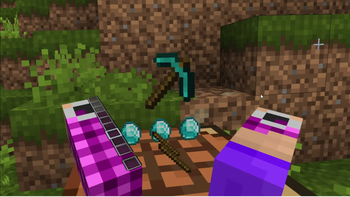
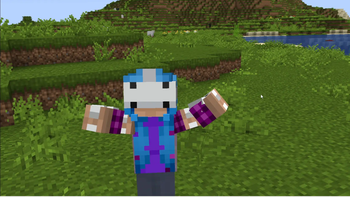
About this modpack
Dysphoric's VR
Dysphoric's VR is a modpack containing a list of my GOTO mods when it comes to playing Minecraft in VR. Aside from all the boring optimization mods you need to run Vivecraft, it also comes bundled with a few "fun" mods that allow for more immersion and a better visual experience. The main focus of this modpack was making VR feel like vanilla but also its own thing!
Optimizations
- Sodium w/ Sodium Extras & Reese's Sodium Options
- Noxesium
- Lithium
- Indium
- Ruthenim
- Dynamic FPS
- Enhanced Block Entities
- Entity Culling w/ More Culling
- FastAnim
- FerriteCore
- Idle Tweaks
- ImediatlyFast
- Krypton
- LazyDFU
- Memory Leak Fix
- Modern Fix
- Starlight
- Chunky
- Debugify
- StutterFix
Immersive
- 3D Skin Layers
- AmbientSounds
- Continuity
- Cull Leaves
- Eating Animation
- FabricSkyboxes
- Falling Leaves
- Iris (see compatible shaders below)
- Model Gap Fix
- Not Enough Animations
- Sound Physics Remastered
- Visual Workbench
- Visuality
- Wakes
- Wavy Capes
QoL
- Chat Notify/Chat Sounds (multiplayer)
- CraftPresence
- Jade
- Just Enough Items
- Mod Menu
- TalkBubbles
- Xaero's Minimap & Worldmap
Shaders
Vivecraft is compatible with Iris so you can fully immerse yourself, but the shaders also can take a toll. Most shaders work if you put them on LOW or POTATO! I have found that ComplementaryReimagined and Pastel Shaders on LOW/MEDIUM works well with VR, and also looks the best, the only thing you need to make sure to do is disable World Blur/DoF and motion blur.
Final Recommendations
For the best experience, I would suggest giving Minecraft a minimum of 4GBs of memory, though 6GBs would be preferable if possible. I would also recommend disabling headset mirroring so that Minecraft doesn't have to render 3 times.
As a final disclaimer, I am running an RTX 4090 GPU and using an Oculus Quest 2, so my settings/experience could be different from yours! If you are not sure if your computer can run VR run the SteamVR Performance Test. You can also compare PC specs using this chart provided by Meta!
Modpack wiki coverage
Orca uses the project's published metadata and version files as the source of truth. Item, block, mob, recipe, structure, dimension, GUI, and mechanic pages are added after their included mod files are extracted and attributed.