Enhanced for Fabric modpack page
- Downloads
- 779
- Mod loaders
- fabric
- Minecraft versions
- 1.20.4, 1.20.2
- Categories
- lightweight, optimization
Enhanced for Fabric screenshots
About this modpack
OUTDATED - Please Use Just Vanilla
Enhanced for Fabric by ItsGraphax --- “Enhanced” is a Modpack using the Fabric Mod loader. It features some of the best features that should be added to Vanilla Minecraft like AppleSkin, Inventory Tweaks and more. No need to upgrade to a better PC to use the wonderful shaders that come with the Modpack featuring: “BSL” and “Complementary Shaders”.
<details> <summary>Disclaimer</summary>
> None of the mods and the conent in this modpack is created by me. The modpack itself was made by me. I am not affiliated with any of the creators of these projects. If a problem with a mod/shader by itself exists try to contact the creator. Else feel free to write me an email to itsgraphax.yt@gmail.com
</details>
Content --- Enhanced contains 66 Mods, Texture Packs and Shaders! Here is a full list with explains about what they do.
<details> <summary>Feature adders</summary>
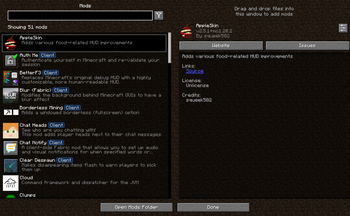
>AppleSkin (v. 1.0.3+) >>AppleSkin is a Mod revolving around the info of your Hunger-bar. It shows you how much Hungerpoints a specific food restores and while holding in your hand it also shows you how much health it restores
>Controlling (v. 1.0.3+) >>Controlling allows you to manage your Keybinds with ease
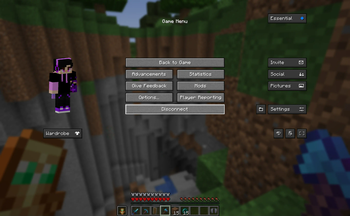
>Essential Mod (v. 1.0.3+) >> Essential Mod is a must-have for social connection. Chat with friends, join worlds like in Bedrock, take and share screenshots easily and Emotes + Cosmetics (Extra payment required)
<details> <summary>Disclaimer</summary>
>None of the payments done in the Essential mod go to me or have anything to do with me. For support or reclamation, please join the Essential Discord server: https://discord.com/invite/essential
</details>
>Freecam (Sometimes counted as cheats! Disable in Mod-menu) (v. 1.0.3+) >>Freecam is a very useful mod to disattach the camera from the player and moving freely around. Please be aware that to go trough Blocks you need to have a specific permission or Admin rights
>Inventory Profiles Next (IPN) (v. 1.0.3+) >>Inventory Profiles Next is your best choice for Inventory tweaks. If you want to sort an Inventory, instacraft or anything else. IPN has it all.
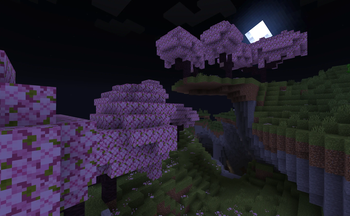
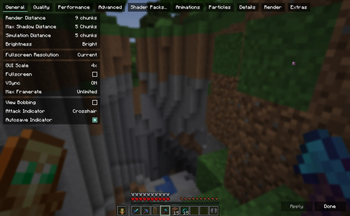
>Iris Shaders & Continuity (v. 1.0.3+) >>Always wanted to use the wonderful OptiFine features with Fabric mods? Iris and Continuity has them for you just now! Use the pre-installed Shaders or install new ones to make your Minecraft look like an RTX Game. >>The best part about this is that with the FPS Mods your Computer will not give up after enabling Shaders!
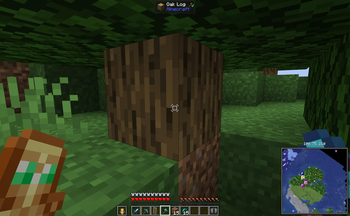
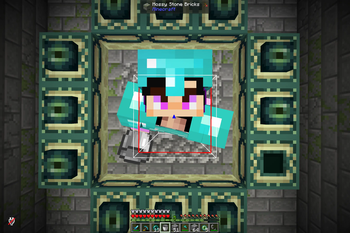
>Jade (v. 1.0.3+) >>Want some Info about the Block you are pointing at? Jade gives you the crucial Information that will help you in your everyday Minecraft life
>Just enough Items (JEI) (v. 1.0.3+) >>Already once forgot a crafting recipe or just wanted to instacraft? Juse JEI! JEI shows how and where you can find specific blocks and items and lets you pull up the recipe immediatly!
>Mod Menu (v. 1.0.3+) >>Adds the mod configuration directly to your pause menu!
>ShulkerBox Tooltips >>Never more Shulker placements to check what is inside. Just hover over the Shulkerbox in your Inventory!
>Simple Voice Chat (v. 1.0.3+) >>Discord is old now... Use Simple Voice Chat and VC with anyone on a server with the SVC Plugin or while playing with your Friend using Essential!
>WorldEdit (v. 1.0.6+)
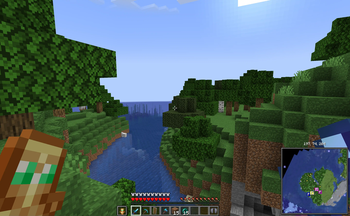
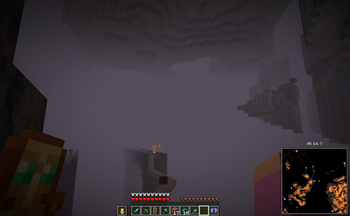
>Xaero's Mini & Worldmap (Sometimes counted as cheats! Disable in Mod-menu) (v. 1.0.3+) >>Your very own Journey map with waypoints and much more!
>>(1.0.6-) To activate minimap press Z and then turn Minimap on
</details>
---
<details> <summary>Sources</summary>
>Logo from https://www.minecraft.net/en-us/article/our-icons-are-changing
</details>
Modpack wiki coverage
Orca uses the project's published metadata and version files as the source of truth. Item, block, mob, recipe, structure, dimension, GUI, and mechanic pages are added after their included mod files are extracted and attributed.