Immersed With Shaders modpack page
- Downloads
- 104.5K
- Mod loaders
- fabric
- Minecraft versions
- 26.2, 1.21, 1.20.6, 1.20.1
- Categories
- adventure, lightweight, optimization
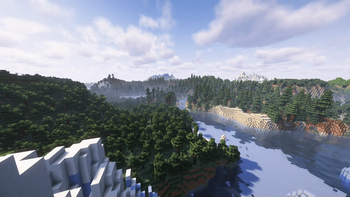
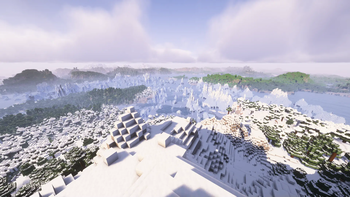
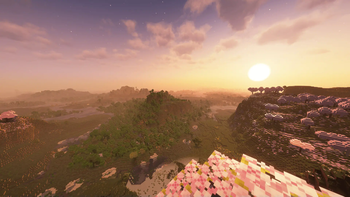
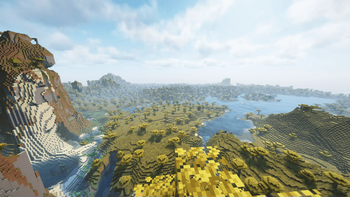
Immersed With Shaders screenshots
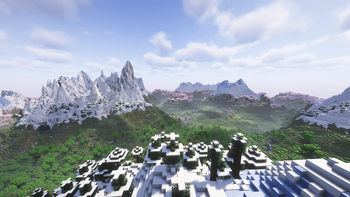
About this modpack
<iframe width="560" height="315" src="https://www.youtube-nocookie.com/embed/IU4I3IY6Kpk" title="YouTube video player" frameborder="0" allow="accelerometer; autoplay; clipboard-write; encrypted-media; gyroscope; picture-in-picture; web-share" allowfullscreen></iframe>
Want to play this modpack with friends? I recommend hosting it with BisectHosting. I’ve been using them for this pack and setup is quick, performance has been solid, and their support really knows modded Minecraft.
Using my link also helps support me and the continued development of this modpack. 6GB is highly recommended, CLICK HERE And Make Sure To Use Coupon NITRO25!
Immersed With Shaders is a fully client side modpack available on NeoForge & Fabric, with the best Performance & FPS you can get on minecraft, also with Quality of Life mods, shaders and enhanced vanilla soundscapes, improved visuals and ambience with no need for Optifine!
Click Here To Join My Discord
- ✅Vanilla Server Compatible
- ✅Built In Shaders
- ✅Fully Client Side
- ✅Supports All PC's
- ✅High FPS Boost & Performance
- ✅Many Visual Improvements
- ✅Better HUD
- ✅NeoForge & Fabric
- ✅1.18 (v1) Available
- ✅1.19 (v2) Available
- ✅1.20 (v3) Available
- ✅1.21 Available
- ✅Supports 26.x
- ✅Enhanced Sounds & Ambience
- ✅Easy To Use
- ✅Journey Map's (J)
- ✅Custom Music Mod
- ✅Zoom Feature (Z)
- ✅Enhanced Animations
- ✅Supports Optifine Features
LOTS MORE!
To enable shaders, go to pause menu > Video Settings > Shader Packs > Select the shader that's there and click apply. Toggle Shaders button available too in controls.
I own none of these mods or shaders, all credit goes to the mod authors, shader authors and resourcepack authors.
Modpack wiki coverage
Orca uses the project's published metadata and version files as the source of truth. Item, block, mob, recipe, structure, dimension, GUI, and mechanic pages are added after their included mod files are extracted and attributed.