[JWN] Just what is needed modpack page
- Downloads
- 9.1K
- Mod loaders
- fabric
- Minecraft versions
- 26.2, 1.21.11, 1.21.10, 1.21.8, 1.21.7, 1.21.6, 1.21.5, 1.21.4, 1.21.3, 1.21.1, 1.21, 1.20.6
- Categories
- lightweight, optimization
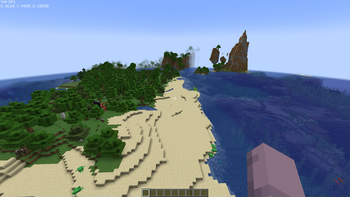
[JWN] Just what is needed screenshots

About this modpack
#
📻 Noticed board
26.2_0.0.71.0 release very soon. Distant Horizons versions will be released too. Please wait.
P.S: 1.20.1_0.0.60.0 is available too.
P.P.S: I've got power problems, so the update might take a little longer.
P.P.P.S: I'll fix the Voxy version; just update Voxy if you don't want to wait for the hotfix. #
- If you use MultiMC based launcher, I recommend install Java 22 by Oracle, Zulu, OpenJDK etc. or Java 23+ (for example latest 25) by GraalVM and enable in settings "Skip compatibility checks". C2ME support this Java version and your fps may more stable.
- Btw, I run a Ko-fi page where I sometimes post things like my shader config or beautiful screenshots.
- If you have stutters, freezers even without jumping of frame rate, try: Settings/General/Fullscreen: ON.
#
<details> <summary>📌About updates</summary>
Every two-four weeks, I'm updating modpack. Why not every week? Cause in this time I can be testing and checking bugs, issues and updating more mods than after one week only. Also, I work on my another modpacks, so I need time for some recreation.
</details>
<details> <summary>📒About topicality</summary>
If you want to have always fresh fixes, edits of configs, should:
1) Backup your "config" folder.
2) Remove "config" folder in ".minecraft" before update modpack.
3) Update modpack in newer version.
If you have problems after remove this folder, just return this folder.
</details>
<details> <summary>🎱About versions</summary>
I'm marking each version with unique numbers, letters, and tags. Here’s how I'm doing it. For example version 1.21.10.0.43.0fabric_DH:
1.21.1 — Minecraft version
0.0.43.0 — modpack version (last number is fix, hotfix or version with minor update)
fabric — loader
DH — version with Distant Horizons included.
</details>
<details> <summary>🚨 Warning</summary>
Always make backup your saves. It's important!!!
</details>
# Balanced modpack with optimization and support to all shaders and resource packs for Optifine. Modpack based on Vanilla Extension, but without resource packs and some features, more universal. But if you want to use only optimization, that can use Optimized Maxima.
I work on it:
📈Performance
I tried to pay special attention to performance, so I chose all the mods that seemed to me the best for this. In the future, I want to improve it even more. I am trying to remove mods that are not being used. <details> <summary>This list includes mods:</summary>
- Sodium (by jellysquid3 and IMS) - a modern rendering engine for Minecraft which greatly improves performance,
- More Culling (by FX) - a mod that changes how multiple types of culling are handled in order to improve performance.
- C2ME (by ishland and duplexsystem) - a Fabric mod designed to improve the chunk performance of Minecraft.
- Sodium Extra (by FlashyReese) - features that shouldn't be in Sodium.
- More Culling Extra (by FX) - a MoreCulling extension mod with smaller changes I don't want to put into MoreCulling. MoreCulling API example mod.
- Lithium (by jellysquid3 and 2No2Name) - no-compromises game logic/server optimization mod.
- ModernFix (by embeddedt) - all-in-one mod that improves performance, reduces memory usage, and fixes many bugs. Compatible with all your favorite performance mods!
- Exordium (by tr7zw) - render the GUI and screens at a lower framerate to speed up what's really important: the worldrendering.
- Thread Tweak (by getchoo and devin) - improve and tweak Minecraft thread scheduling. Fork of Smooth Boot for ≥1.20
- BadOptimizations (by thosea) - optimization mod that focuses on things other than rendering.
- Bedrodium (by kirillirik and VidTu) - little optimization bedrock layer.
- Clumps (by jaredlll08) - clumps XP orbs together to reduce lag.
- Dynamic FPS (by juliand665 and LostLuma) - improve performance when Minecraft is in the background.
- Enhanced Block Entities
(by FoundationGames) - reduce FPS lag with block entities, as well as customize them with resource packs.
(by tr7zw) - using async path-tracing to hide Block-/Entities that are not visible.
(by KingContaria) - lets you return to the Title Screen early while your world is still saving in the background!
and Steveplays) - speeds up Minecraft's RNG system by 100X.
- FerriteCore (by malte0811) - memory usage optimizations.
- Get It Together, Drops! (by bl4ckscor3) - adds tags and configuration options for defining how dropped items should combine.
- ImmediatelyFast
(by RaphiMC) - speed up immediate mode rendering in Minecraft.
(by astei) - a mod to optimize the Minecraft networking stack.
(by VidTu) - speed up the loading of your world.
(by FX and KingContaria) - a mod that fixes random memory leaks for both the client and server.
- Noisium (by Steveplays) - optimises worldgen performance for a better gameplay experience.
- Raknetify (by ishland) - a Fabric mod / BungeeCord plugin that uses RakNet to improve multiplayer experience significantly under unreliable and rate-limited connections.
- Remove Reloading Screen (by dima_dencep) - makes resource packs load in the background, allowing you to do other things while waiting!
- ServerCore (by Wesley1808) - a mod that aims to optimize the minecraft server.
- Staaaaaaaaaaaack (Stxck) (by frankV) - a mod made to merge dropped items beyond the vanilla stack limit while considering mod compatibility.
- Too Many Players (by Feytox and DearFox) - allows you to increase FPS with a large crowd of players.
- Video Tape (by Anthus) - fixes GPU-related memory leaks.
- kennytvs-epic-force-close-loading-screen-mod-for-fabric (by kennytv) - instantly closes the loading terrain screen on world changing and drastically reduces the resource pack loading screen duration.
- lazy-language-loader
(by chachy) - improves loading times when changing your language by only reloading the language instead of all the game resources!
- FastAnim (by Lunade_) - speeds up entity animation calculations!
</details>
⚙️Bugfix
What about bugs? In most cases, they only bothered me, so I added mods to the modpack that fix most of them. <details> <summary>Bugs fixed in vanilla using:</summary>
- Debugify (by isxander) - fixes Minecraft bugs found on the bug tracker.
- VanillaIcecreamFix (by repletsin5) - an updated version of Runemoro's VanillaFix and also ported to the latest version.
- Model Gap Fix (by MehVahdJukaar) - fixes gaps in Block Models and Item Models.
- Server Pinger Fixer (by JustAlittleWolf) - improves pinging speed of the multiplayer server list.
</details>
🪸Some useful features
<details> <summary>Spoiler</summary>
- Controlify - adds controller support to Minecraft!
</details>
🎨Optifine Features
Many resource packs use optifine functions for variable mobs, items and blocks - these are all in my modpack. Also support for shaders, high resolution screenshots, animated textures, dynamic light, zoom and much more.
<details> <summary>All list for it:</summary>
- Animatica - a mod implementing the OptiFine/MCPatcher animated texture format.
- CIT Resewn - re-implements MCPatcher's CIT (custom item textures from optifine resource packs).
- Capes - lets you use capes from OptiFine, LabyMod and other cape mods.
- Continuity - a Fabric mod that allows for efficient connected textures.
- FabricSkyboxes - allows resource packs to define custom skyboxes.
- Fabrishot - take insanely large screenshots because why not.
- Iris Shaders - a modern shaders mod for Minecraft intended to be compatible with existing OptiFine shader packs.
- LambDynamicLights - a dynamic lights mod for Fabric.
- RyoamicLights - LambDynamicLights unofficial architectury port. A dynamic lights mod for Minecraft.
- OptiGUI - custom inventory GUIs on Fabric&Quilt with OptiFine resource pack support&many more features.
- Zoomify - a zoom mod with infinite customizability.
- [[EMF]Entity Model Features](https://modrinth.com/mod/entity-model-features) - EMF is an, OptiFine format, Custom Entity Model replacement mod available for Fabric and Forge.
- [[ETF]Entity Texture Features](https://modrinth.com/mod/entitytexturefeatures) - emissive, Random & Custom texture support for entities in resourcepacks just like Optifine but for Fabric.
</details>
Also, I won't support 1.20.2, 1.20.4, 1.20.6, 1.21, 1.21.1, 1.21.3, 1.21.4, 1.21.5, 1.21.6, 1.21.7, 1.21.8, 1.21.9 and 1.21.11. Because they have some problems with Quilt, Forge and NeoForge and devs less update mods for them. 1.20.6 has some problems with performance. Please, use 1.20.1 or 1.21.11+. Furthermore, It's hard for me to update so many versions (understand me).
Modpack wiki coverage
Orca uses the project's published metadata and version files as the source of truth. Item, block, mob, recipe, structure, dimension, GUI, and mechanic pages are added after their included mod files are extracted and attributed.