Lukydium - Optimization and Graphics Modpack modpack page
- Downloads
- 1.6K
- Mod loaders
- fabric
- Minecraft versions
- 1.21.6, 1.21.5, 1.21.4
- Categories
- optimization
Lukydium - Optimization and Graphics Modpack screenshots

About this modpack
🔧 Lukydium – Realistic & Optimized Modpack [1.21.4 - 1.21.5]
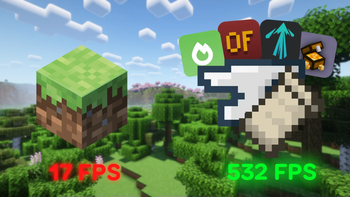
Experience Minecraft 1.21.4 like never before, with stunning visuals, optimized performance, and quality-of-life improvements.
This modpack focuses on:
- ⚙️ High performance
- 🌄 Beautiful and/or realistic graphics
- 🛠️ Quality-of-life enhancements (no gameplay changes)
- 🖥️ Multiple backend support: Sodium, Nvidium, or Vulkan
---
💻 Available Versions
You can choose the best version based on your graphics API or preferences:
- Base Version (Sodium)
Ideal for most systems — uses Sodium and Iris for great performance and shaders.
- Nvidium Version (soon)
Designed for NVIDIA GPUs — uses Nvidium alongside Sodium, with all compatible optimization mods. Offers significantly better performance, especially on NVIDIA GeForce GTX/RTX series 16, 20, 30, 40, and 50 GPUs.
- Vulkan Version (soon)
For more advanced optimization, use VulkanMod, compatible with AMD, NVIDIA, and Intel GPUs. ⚠️ Note: This version is not compatible with shaders.** ---
🧩 Included Mods
<details> <summary>Click to view the full list of mods</summary>
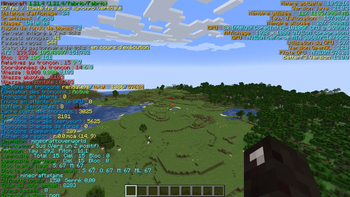
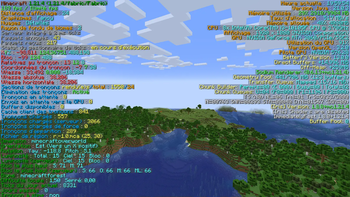
- BetterF3 – Customizable and improved debug screen
- Better Stats – Cleaner display of player statistics
- Bobby – Loads chunks even when they're offline
- C2ME – Multithreaded chunk loading and generation
- Chat Heads – Shows player icons in chat
- Chunky – UI-based chunk pregenerator
- Cloth Config – Config screen library
- Clumps – Groups XP orbs to reduce lag
- Dynamic FPS – Reduces resource usage in background
- Enhanced Block Entities – Improves rendering of block entities
- Entity Culling – Hides entities not visible to the camera
- Entity Model Features – Adds cosmetic features to entities
- Entity Texture Features – Adds random texture variants
- Fabric API – Core modding library for Fabric
- Fabric Language Kotlin – Kotlin support for Fabric
- Fabrishot – Take ultra-high-resolution screenshots
- FerriteCore – Reduces memory usage
- Gamma Utils – Advanced brightness control
- ImmediatelyFast – Immediate rendering optimization
- Iris Shaders – Adds advanced shader support
- LambDynamicLights – Dynamic lighting from entities
- Lithium – General-purpose performance optimizations
- ModernFix – Reduces stutter and improves stability
- Mod Menu – Easy mod management menu
- More Culling – Enhanced entity and object culling
- Noisium – Optimization mod improving performance.
- NotEnoughAnimations – Adds missing third-person animations
- Placeholder API – Dynamic variables for other mods
- Reese's Sodium Options – Better UI for Sodium settings
- Resourcify – Dynamic resource pack control
- Skin Layers 3D – Adds 3D depth to player skins
- Sodium Extra – Extra features and settings for Sodium
- Sodium – High-performance rendering engine
- Spark – Performance profiler and analyzer
- TCDCommons – Shared library for several mods
- Wavey Capes – Animated, fluid capes
- Yet Another Config Lib v3 – Config library
- Zoomify – Smooth and customizable zoom
</details>
---
🎨 Resource Packs
<details> <summary>Click to view the resource packs</summary>
- Fresh Animations – Smooth mob animations overhaul
- Detailed Animations Reworked – Extra-detailed animations for entities
- Angel's Weather – Realistic weather textures
</details>
---
✨ Shaders Included
<details> <summary>Click to view the shaders</summary>
- BSL Shaders – Stylized shader with soft lighting
- Complementary Reimagined – Realistic and immersive shader
- Super Duper Vanilla – Cartoon shader inspired by Mojang’s trailer
</details>
---
🎬 Video Showcase
<iframe width="560" height="315" src="https://www.youtube-nocookie.com/embed/Ve6GJzbe9V0" title="YouTube video player" frameborder="0" allow="accelerometer; autoplay; clipboard-write; encrypted-media; gyroscope; picture-in-picture; web-share" allowfullscreen></iframe>
📌 This video presents the main mods optimizations and visual mods included in the pack, this one is very inspired by this video : [Best Minecraft Mods For Maximum FPS Boost](https://youtu.be/MJW4igOU_J8?si=MAD2WKj9UdiavV4h) from Shulkercraft. 📊 It also shows performance benchmarks using Nvidium on Minecraft 1.20.4 for comparison.
---
📜 License
This modpack is distributed under the Creative Commons BY-NC 4.0 license.
- ✅ Free to use and modify
- ❌ Not allowed for commercial use
- ✅ Credit to Lukystalme is required
- ✅ Required attribution if used in another modpack
> All mods included are the property of their respective authors. Please refer to each mod's license on their official pages.
---
🧾 Credits
All included mods, resource packs, and shaders are the property of their respective creators. This modpack simply assembles and configures them for performance and visual enhancement.
🧩 Mods by: shedaniel, CaffeineMC, LambdAurora, tr7zw, Motschen, ReeseTheModder, FlashyReese, FrogGuy0613, Shnupbups, FoundationGames, jaredlll08, Steveplays, SomeoneWithAnInternetConnection and Prospector.
🎨 Resource Packs by: FreshLX, Liminal_Angel and Cymock.
✨ Shaders by: Capt Tatsu , EminGT and Eldeston.
---
📁 Installation
You can install the pack easily via:
- Modrinth App
- Prism Launcher
- Or manually by importing the
.mrpackfile
---
Happy crafting! — Lukystalme
Modpack wiki coverage
Orca uses the project's published metadata and version files as the source of truth. Item, block, mob, recipe, structure, dimension, GUI, and mechanic pages are added after their included mod files are extracted and attributed.