- Downloads
- 2.3K
- Mod loaders
- fabric
- Minecraft versions
- 1.20.1
- Categories
- adventure, multiplayer, technology
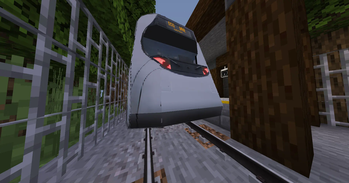
Metro+ screenshots
About this modpack
Metro+
General Rundown:
This Is a transportation mod, contains trains, boats, planes, cablecars, cars (Removed Temporarily), and a whole lot more stuff (Incudes but not limited to decoration mods). This mod is pre-optimized for your convinience for if you have a bad computer, it does include some shaders right off the bat. Last But not least this mod includes quality of life changes to minecraft that improve gameplay expirience.
Features:
- Shaders ("OMG So unoriginal!?!?!" i know)
- Minecraft Transit Railway ("You Stole That!?!" simply put in a modpack)
- Pre-Optimized ("How Dare you optimize MY GAME!?" optimized for people who have potatos for PC's like me)
- A Few Quality Of life Mods To Improve Overall The Expirence.
Known Issues/Incompatible Mods:
- ``
kennytvs-epic-force-close-loading-screen-mod-for-fabric`` causes falling through the world more than before. - On versions older than ``
1.1.x`` It was possible to fall through the world off spawn, chunk loading error, Leave and rejoin. (Fixes it most of the time) - ``
Tape Stop`` Causes Major Instability within the renderer. - ``
Chunkumulator`` Causes World Loading Crashes (Potentialy incorrect) - On Versions ``
1.0.6`Or older, falling blocks will crash your game on select devices. (Fixed on`1.0.7`` Or later) - Hosting Big worlds using ``
Essentials`on **Bad Hardware** does cause **game instability, crashes, and world corruption**. ( **Most** instability issues Have been fixed on versions`1.1.3`` Or newer ) - Bugged F3 Menu on ``
1.1.3`` Or newer, Move arround and it fixes it's self. - Bugged F3 Menu on ``
1.1.3`` Or newer causes minimap projection corruption, simply move arround and it fixes it's self. ( Your world data is not affected ) - Switching Modpack Versions Can Cause World Corruption.
- On versions prior to ``
1.1.7`It was possible for world generation to get stuck and cause a memory leak, it has been fixed on`1.1.7`` or newer.
Extra Need To Know Stuff:
- Use ``
localhost:8888`` In A Web Browser In Singleplayer To Open A Dynamic Train Map in singleplayer or if hosting. - To Use The Dynamic Train map In Multi-Player Use ``
<Server-IP>:<Port>`` . - Use ``
Mod Menu`` For Customizing Any mods. - Removed ``
Treps cars`on versions`1.1.0`` Or newer temporarily as it caused major instability. - If You want to use ``
Essentials`` you have to install it seperatly (I somewhat dislike their practices) - No Promises For next updates ( I do this as a hobby )
- Recomended Version to download as of last description update ``
1.2.1``. - Description Last Updated on ``
2/8/26`And Or`1.2.1``
--- Metro+ © 2024 Pro42good.
The Metro+ modpack (configs, scripts, and original material) is licensed under CC BY-NC-ND 4.0.
Included mods, assets, and other third-party content are the property of their respective authors and remain under their original licenses.
“Metro+” and its icon are the property of Pro42good.
Modpack wiki coverage
Orca uses the project's published metadata and version files as the source of truth. Item, block, mob, recipe, structure, dimension, GUI, and mechanic pages are added after their included mod files are extracted and attributed.