Monumenta Gaming Full Feature modpack page
- Downloads
- 7.2K
- Mod loaders
- fabric
- Minecraft versions
- 1.20.4, 1.20.1, 1.19.4
- Categories
- multiplayer
Monumenta Gaming Full Feature screenshots
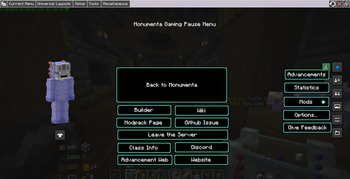
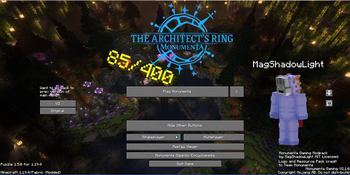
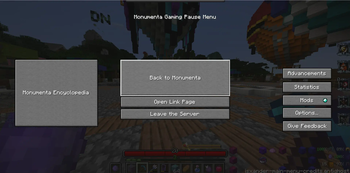
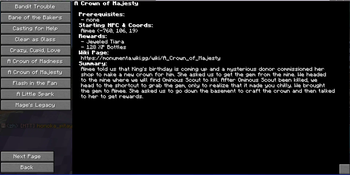
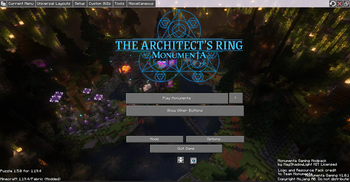
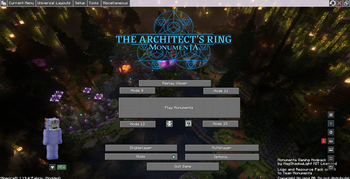
About this modpack
Monumenta Gaming
Inspired by Noelle’s and Provi’s modpack, this one is designed for playing monumenta, a CTMMMORPG minecraft server that I love to play a lot.
Contents:
This modpack has the following content listed below:
- Performance improvement mods
- Sodium
- Monumenta official Resource Pack +
- Monumenta General Music Pack: https://files.playmonumenta.com/resource-packs/MonumentaMusicPack.zip +
- Contains the music for Overworld, dungeons, strikes, bosses, & towns
- Monumenta Custom Music Pack
- General Gameplay mods
- Shulker box tooltip
- Advanced Chat
- Fully set up and ready to go
- Essential (there is non-essential version if you don't like essential)
- Jade
- JsMacros (disabled by default due to issues between fancymenu mods & this mod)
- Inventory HUD+
- Xaero’s Minimap & WorldMap (fairplay)
- Monumenta enhancement mods
- Unofficial monumenta mod
- Monumenta Item Dictionary
- Many more. Check out the mod list in GitHub
- check on monumenta discord for updates, however I probably will update the modpack with resource pack whenever it updated = +
Installation:
Vanilla Launcher:
Windows:
- Download this modpack from Modrinth website, it should say .mrpack at the end of file.
- Find the mrpack file and change file extension to .zip
- Extract the .zip file using 7zip or something else
- Once it finished extracted, go inside the override folder and copy the content inside that folder
- Paste it into .minecraft folder. You should find it when you type %appdata% on windows *
Mac:
- download this modpack from Modrinth website, it should say .mrpack at end of file
- Find the mrpack file and change file extension to .zip
- Extract the .zip file
- Once it finished extracted, go inside the override folder and copy the content inside that folder
- go to ~/Library/Application Support/minecraft path and paste it into that folder
License:
This modpack is licensed under MIT, which means you’re free to reuse part of this modpack, however the content of this modpack (mods, resource packs, musics, logo, & some other) have different license and not covered by this modpack.
Notes:
- the Guild tab filter need to be set up with your own guild tag as it currently set for ENEMY guild. To do so, you’ll need to go to Main Menu - Mods - AdvancedChatCore - HUD - Chat Tabs - Configure on Guild - Matches - type in your guild tag. I might plan for add every guild tags to be filter so you don’t have to set up.
- The top bar was showing up, I would recommend hide it by pressing CTRL + Alt + C in Main Menu or any other menu
- It has three node button that you can connect to if you’re having issue with specific bungee not transferring you, however two nodes are in NA and one node is in Europe
Known Issue:
some quest page uses "you" while some quest pages uses "us"
Encyclopedia Progress Tracker:
- Quests: (15/145)
- Enchants: (0/156)
- Items: (0/5604)
- Mobs: (0/???)
Modpack wiki coverage
Orca uses the project's published metadata and version files as the source of truth. Item, block, mob, recipe, structure, dimension, GUI, and mechanic pages are added after their included mod files are extracted and attributed.