Optifine On Fabric modpack page
- Downloads
- 26.7K
- Mod loaders
- fabric
- Minecraft versions
- 1.21.9, 1.21.8, 1.21.1, 1.21
- Categories
- lightweight, optimization
Optifine On Fabric screenshots
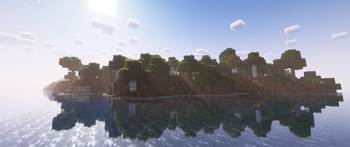
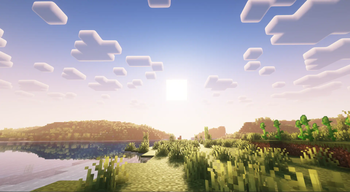
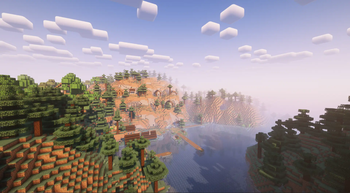
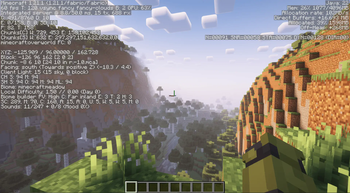
About this modpack
Optifine In Fabric
A Pretty Bad Remake of Optifine In Fabric - GDT
CURRENT MINECRAFT VERSION = 1.21.8
-----------------------------------------------
Chance Log
- Updated to 1.21.8
-----------------------------------------------
Like This ModPack? Then Check Out Better Horizons!
------------------------------------------------
<details> <summary>Features</summary>
- Animatable Game Textures
- Optifine Capes
- Faster Chunk Loading
- Dynamic FPS
- Dynamic Lights
- Entity Model & Texture Features
- Enity Culling
- Shader Support
- stable 60 FPS
- Zooming
- connected textures
- fog control
- Mod menu
- More animations
- better advancements menu
Features May Be Added in The Future
</details>
<details> <summary>Included Mods</summary>
- Animatica
- capes
- Dynamic FPS
- Dynamic Lights
- Entity Model Features
- Entity Texture Features
- Entity Culling
- Fabric API
- Fabric Language Kotlin
- Indium
- Iris
- Lithium
- OptiGUI
- Reese's Sodium Options
- Sodium
- Sodium Extra
- WI Zoom
- continuity
- better advancements
- fog
- mod menu
- more mob variants
- And More
Some Mods May Be Replaced, Or Others Configured Differently In the Future
</details>
<details> <summary>What it has From Optifine</summary>
- Shaders | yes
- Dynamic lights | yes
- FPS Boost | yes
- Better Grass | no
- FOG Control | yes
- Zoom | yes
- Random Mobs | yes
- Hd Texture Support | yes
- Variable render distance | no
- Smart Advanced Opengl | no
- Connected Textures | yes
</details>
<details> <summary>Default Keybinds</summary>
- Zoom = C
- Copy Inspection To ClipBoard = F12
- Reload Shaders = R
- Shader pack Selection Screen = O
- Toggle Shaders = K
All Keybinds Can Be Changed In Settings Keybinds May Change in The Future With later Versions
</details>
<details> <summary>QNA</summary>
- Q: How Do I Report Bugs?
- A: On The Discord
- Q: can i use This Modpack On A Server?
- A: Yes, Any Servers that allows Vanillia Clients Will Allow You To Play
- Q: How Can i Suggest Mods To Make The Modpack A better experience?
- A: On The Discord In The "Suggestions" Forum
</details>
<details> <summary>known Bugs</summary>
- game crashes while in a world and you enable connected textures in V2
</details>
Need Help? Or Just Wanna Chat? Check Out The Discord!
!FPS
This is on
- 7 Chunks
- 6 simulation distance
- clouds fast
- weather fast
- Leaves fast
- And
- Graphics Fast
Note That This ModPack Is primarily For Optifine Alternatives so it Works with Pretty Much Any Mods You Can Think of, Or To play Vanilla
Modpack wiki coverage
Orca uses the project's published metadata and version files as the source of truth. Item, block, mob, recipe, structure, dimension, GUI, and mechanic pages are added after their included mod files are extracted and attributed.