- Downloads
- 1.4K
- Mod loaders
- neoforge
- Minecraft versions
- 1.20.1
- Categories
- adventure, kitchen-sink, technology
Pino 3 screenshots
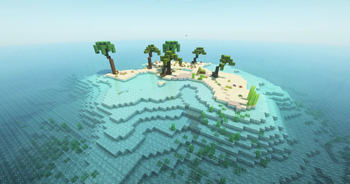
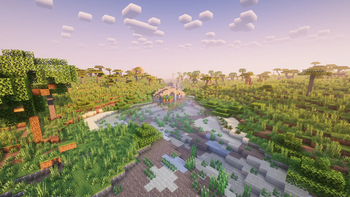
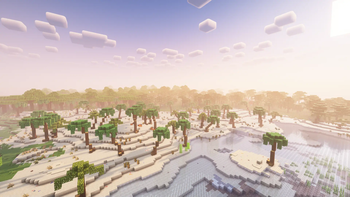
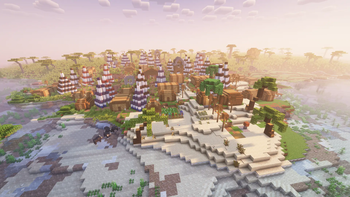
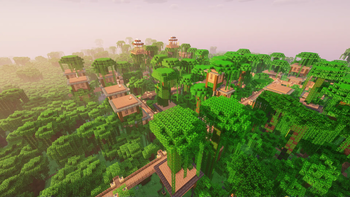
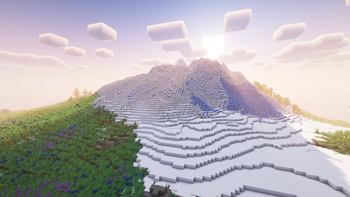
About this modpack
<div> <div> <h1>The final verion of the modpack was uploaded! It won’t receive any further updates!</h1> <p>It is a modpack with over 230 mods.<br />It’s mainly about automating items and building farms with mods like<strong> Applied Energistics 2</strong>, <strong>Create</strong>, <strong>Mekanism</strong> and <strong>Immersive Engeneering</strong>.</p> </div> <div> <p>With <strong>Applied Energistics 2</strong> and <strong>Refined Storage</strong> you can build large storage systems, automate many items and more.<br />With <strong>Create</strong> and the <strong>addons for Create</strong>, you can build simple farms, e.g. a wheat farm.<br />But you can also build complicated factories with this mod, e.g. a strawberry ice cream factory.<br />With <strong>Mekanism</strong> you can, for example, build a simple smelting furnace or a complicated factory for increasing ore.<br />If you like building large factories to automate items, this is the perfect modpack for you.</p> </div> <div> <h2>Here is a tutorial on how to install Pino 3 as a server:</h2> -> Download the installer for <strong>Neoforge 47.1.106</strong>.<br />-> Open the installer, click on <strong>Install server</strong>, set the <strong>file path</strong> where the server should be installed and click on <strong>proceed</strong>.<br />-> Open <strong>userjvmargs.txt</strong> and remove <strong>#</strong> from the 9th line and replace the 4 with 8.<br />-> Copy the following folders from your modpack profile to the folder in which you previously installed the server: <strong>mods, config, defaultconfig, kubejs</strong>.<br />-> Open the mods folder and delete the following mods. These are only required for the client:</div> <div> <ul> <li>AdvancementPlaques-1.20.1-forge-1.6.7.jar</li> </ul> </div> <div> <ul> <li>appleskin-forge-mc1.20.1-2.5.1.jar</li> </ul> </div> <div> <ul> <li>BetterF3-7.0.2-Forge-1.20.1.jar</li> </ul> </div> <div> <ul> <li>Controlling-forge-1.20.1-12.0.2.jar</li> </ul> </div> <div> <ul> <li>create-train-perspective-1.0.0+mc1.20.1.jar</li> </ul> </div> <div> <ul> <li>createtabfix-1.0.0+forge-1.20.1. jar</li> </ul> </div> <div> <ul> <li>CullLessLeaves-Reforged-1.20.1-1.0.5.jar</li> </ul> </div> <div> <ul> <li>dynamic-fps-3.7.7+minecraft-1.20.0-forge.jar</li> </ul> </div> <div> <ul> <li>embeddium-0.3.31+mc1.20.1.jar</li> </ul> </div> <div> <ul> <li>EnchantmentDescriptions-Forge-1. 20.1-17.1.19.jar</li> </ul> </div> <div> <ul> <li>entitymodelfeaturesforge1.20.1-2.2.6.jar</li> </ul> </div> <div> <ul> <li>entitytexturefeaturesforge1.20.1-6.2.9.jar</li> </ul> </div> <div> <ul> <li>entityculling-forge-1. 7.2-mc1.20.1.jar</li> </ul> </div> <div> <ul> <li>essential1-3-5-3forge1-20-1.jar</li> </ul> </div> <div> <ul> <li>Fallingleaves-1.20.1-2.1.0.jar</li> </ul> </div> <div> <ul> <li>fancymenuforge3.3.2MC1.20.1.jar</li> </ul> </div> <div> <ul> <li>fusion-1. 1.1-forge-mc1.20.1.jar</li> </ul> </div> <div> <ul> <li>jeimultiblocks-1.20.1-1.0.2.jar</li> </ul> </div> <div> <ul> <li>journeymap-1.20.1-5.10.3-forge.jar</li> </ul> </div> <div> <ul> <li>JustEnoughMekanismMultiblocks-1.20.1-4.6. jar</li> </ul> </div> <div> <ul> <li>JustEnoughProfessions-forge-1.20.1-3.0.1.jar</li> </ul> </div> <div> <ul> <li>melodyforge1.0.3MC_1.20.1-1.20.4.jar</li> </ul> </div> <div> <ul> <li>modelfix-1.15.jar</li> </ul> </div> <div> <ul> <li>notenoughcrashes-4.4.7+1.20. 1-forge.jar</li> </ul> </div> <div> <ul> <li>oculus-mc1.20.1-1.7.0.jar</li> </ul> </div> <div> <ul> <li>searchables-forge-1.20.1-1.0.3.jar</li> </ul> </div> <div> <ul> <li>skinlayers3d-forge-1.7.4-mc1.20.1.jar</li> </ul> </div> <div> <ul> <li>starlight-1.1.2+forge.1cda73c.jar</li> </ul> </div> <div> <p>-> Execute the <strong>start.bat</strong><br />-> After a short time <strong>eula.txt</strong> is created. Open it and replace “false” with “true”<br />-> Execute the <strong>start.bat</strong> again<br />-> Done! The server should now work.</p> </div> </div>
Modpack wiki coverage
Orca uses the project's published metadata and version files as the source of truth. Item, block, mob, recipe, structure, dimension, GUI, and mechanic pages are added after their included mod files are extracted and attributed.