Redstone Utilities modpack page
- Downloads
- 4.1K
- Mod loaders
- fabric
- Minecraft versions
- 1.21.7, 1.21.5, 1.21.4, 1.21.1, 1.20.4
- Categories
- lightweight, optimization, technology
Redstone Utilities screenshots
About this modpack
<center>
<p></p>
<a title="Discord" href="https://discord.gg/wFQyeKj6Ce"> <img src="https://cdn.modrinth.com/data/cached_images/551d9ec4ac5553d41daf95987311385cfe024757.png" width="768" alt="Create Extended Modpack banner"> </a>
<p></p>
</center> <br>
</strong> </center> <p></p>
<span><strong><font size="4" color="#ed3d3d">What is Redstone Utilities?</font></strong></span>
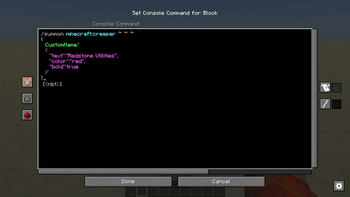
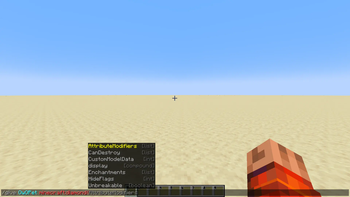
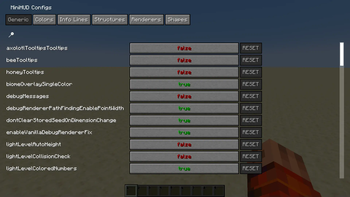
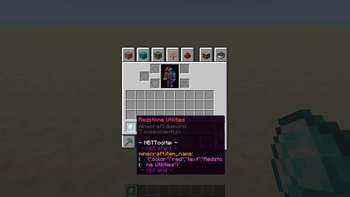
<p>Redstone Utilities is a modpack designed to improve redstone building and technical gameplay in Minecraft. It includes a range of small, helpful mods that make working with commands, NBT data, and redstone systems easier and more efficient. Features like better command input, improved command block interfaces, and detailed tooltips help streamline complex builds and reduce the time spent on technical setup. The modpack focuses on quality-of-life improvements for players who work with redstone and commands regularly.
</p> <br>
<h3><font size="4" color="#ed3d3d">Mods</font></h3> <p></p>
<details> <summary><font color="#748ccc">Technical Mods (13)</font></summary>
- Better Command Block UI by Tec
- Carpet<font color="#ff5a41">*</font> by altrisi (Original gnembon)
- Carpet Extra<font color="#ff5a41">*</font> by altrisi (Original gnembon)
- Carpet TIS Addition<font color="#ff5a41">*</font> by fallen-breath
- Litematica by
masady
- Litemoretica<font color="#ff5a41">**</font> by earthcomputer
- MiniHUD by masady
- NBT Autocomplete by mt1006
- NBT Tooltip by zabi94
- TweakerMore by fallen-breath
- WorldEdit by me4502
- [Pistorder
](https://modrinth.com/mod/pistorder) by fallen-breath
- G4mespeed by G4me4u
</details>
<details> <summary><font color="#748ccc">Performance Mods (14)</font></summary>
- Sodium by jellysquid3
- Sodium Extra by FlashyReese
- Reese's Sodium Options by FlashyReese
- Lithium by jellysquid3
jellysquid3
- Indium by comp500
- Concurrent Chunk Management Engine (Fabric) by ishland
- ScalableLux by ishland
- Dynamic FPS by juliand665
- Entity Culling by tr7zw
- FerriteCore by malte0811
- ImmediatelyFast by RaphiMC
- ModernFix<font color="#ff5a41">**</font> by embeddedt
- More Culling by FX
- Very Many Players (Fabric) by ishland
</details>
<details> <summary><font color="#748ccc">Other Mods (4)</font></summary>
- Mod Menu by Prospector
- Ping View by karlsson1000
- Chat Heads by dzwdz
- FancyMenu by keksuccino
</details>
<details> <summary><font color="#748ccc">Library Mods (5)</font></summary>
- Fabric API by modmuss50
- Cloth Config API by shedaniel
- Konkrete by keksuccino
- MaLiLib by masa
- Melody by keksuccino
</details>
<details> <summary><font color="#748ccc">Resource Packs (2)</font></summary>
- Redstone Tweaks by RexxStone
- XK Redstone Display by XeKr
</details> <p></p>
<font color="#ff5a41"><small>* Note, these mods are intended for single-player use only. If you wish to play on a server, you'll need to install the Carpet Mod on the server.</small></font>
<font color="#ff5a41"><small>** Note, these mods are currently disabled as the author of those mods didn't update them to the current Minecraft version.</small></font>
<p></p>
---
<center> <strong> <a href="https://discord.gg/wFQyeKj6Ce"><font>Discord</font></a><font> •</font> <a href="https://github.com/Hythera"><font>Github</font></a><font> •</font> <a href="https://discord.gg/wFQyeKj6Ce"><font>Issues</font></a>
<p></p>
Modpack wiki coverage
Orca uses the project's published metadata and version files as the source of truth. Item, block, mob, recipe, structure, dimension, GUI, and mechanic pages are added after their included mod files are extracted and attributed.