Rendered Horizons (A Distant Horizons Modpack) modpack page
- Downloads
- 12.4K
- Mod loaders
- fabric
- Minecraft versions
- 1.21.5, 1.21.1, 1.21, 1.20.4
- Categories
- lightweight, multiplayer, optimization
Rendered Horizons (A Distant Horizons Modpack) screenshots

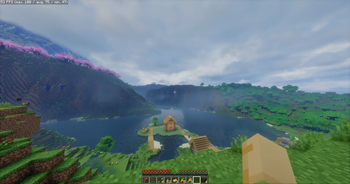
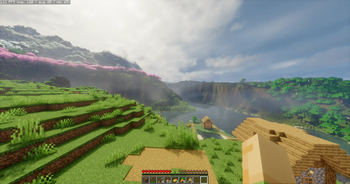
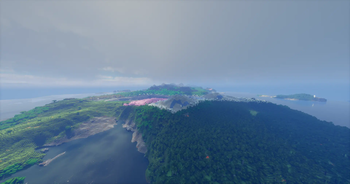
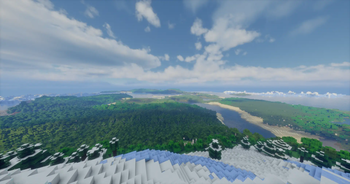
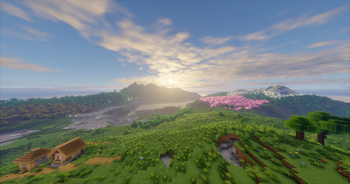
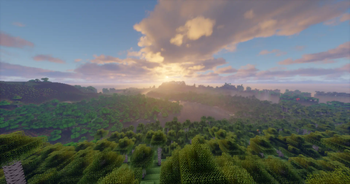
About this modpack
<center><img src="https://cdn.modrinth.com/data/cached_images/e1dbc4c6ebcd0ebba91da5f25c48758d95572d09.png" alt="RENDERED HORIZONS"></center> <center><img src="https://img.shields.io/badge/LATEST VERSION-1.21.5-blue?style=for-the-badge" alt="VERSION"> <img src="https://img.shields.io/badge/LAST UPDATED-6 MAY 2025-006A4E?style=for-the-badge" alt="UPDATED"></center>
<center>Description</center>
Rendered Horizons is a lightweight modpack featuring Distant Horizons and Iris Shaders, allowing you to see extremely f***ing far. 👀
It includes compatible shaderpacks & eye-catching vanilla-like world generation by Tectonic. It's designed for seamless use on any server, it just works out of the box!
<center>Performance and FPS</center>
<details> <summary>Settings and Specs</summary> <strong>Specs</strong><br><br> Graphics Card: RTX 3060ti<br> Processor: Ryzen 7 5700g<br> OS: Windows 11<br> RAM: 16gigs DDR4<br> RAM allocated: 10000MB<br><br> <strong>Distant Horizons Settings</strong><br><br> Quality: Medium<br> CPU Load: Low Impact<br> LOD Render Distance: 128<br><br> <strong>Minecraft Settings</strong><br><br> Resolution: 1440 x 1080<br> Shadow Distance: 12<br> Render Distance: 12<br> Simulation Distance: 5<br> Shader: Complementary Re-imagined<br> FPS: Average - 142<br> </details>
<center>Comparison</center>
<table> <thead> <tr> <th>Features</th> <th>Rendered Horizons</th> <th>Distantly Optimized</th> <th>New Horizons</th> </tr> </thead> <tbody> <tr> <td>Utility</td> <td>Yes</td> <td>Yes</td> <td>No</td> </tr> <tr> <td>Optimization</td> <td>Yes, with custom settings and better performance</td> <td>Yes</td> <td>No</td> </tr> <tr> <td>Shaders</td> <td>Yes, with custom settings for max performance and appearance</td> <td>Yes</td> <td>Yes</td> </tr> <tr> <td>Terrain / WorldGen</td> <td>Yes, with Tectonic and several terrain improvement mods</td> <td>Yes, but only with tectonic</td> <td>Yes, doesn't feel vanilla</td> </tr> <tr> <td>Updates</td> <td>Yes, frequent updates including shaders and utilities</td> <td>Yes</td> <td>Yes</td> </tr> </tbody> </table><Br>
Download the modpack and experience it for your own! You don't need a powerful PC!
<img alt="modrinth" height="56" src="https://cdn.jsdelivr.net/npm/@intergrav/devins-badges@3/assets/cozy/available/modrinth_vector.svg">
Modpack wiki coverage
Orca uses the project's published metadata and version files as the source of truth. Item, block, mob, recipe, structure, dimension, GUI, and mechanic pages are added after their included mod files are extracted and attributed.