- Downloads
- 21.1K
- Mod loaders
- fabric
- Minecraft versions
- 1.21, 1.20.6, 1.20.4, 1.20.1, 1.20, 1.19.4
- Categories
- lightweight, multiplayer, optimization
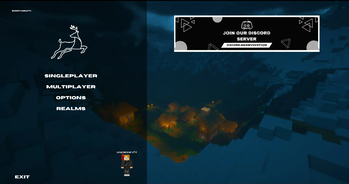
SmoothCraft screenshots
About this modpack
🦌 SmoothCraft — The Ultimate Performance & Visual Enhancement Modpack
SmoothCraft is a meticulously crafted Fabric-based modpack designed to maximize FPS while delivering breathtaking visuals. Built on industry-leading optimizations like Sodium, Lithium, and Iris Shaders, it transforms Minecraft into a smoother, prettier, and more immersive experience—without sacrificing performance.
---
✨ Why Choose SmoothCraft?
✅ Unrivaled Performance
- Powered by Sodium, Lithium, and Starlight for buttery-smooth gameplay, even on mid-range PCs.
- Reduced lag spikes and optimized chunk loading for seamless exploration.
✅ Stunning Visuals, Zero Compromises
- Full shader support (Iris) with presets tailored for balance between beauty and FPS.
- Enhanced lighting, shadows, and textures without the typical performance hit.
✅ Lightweight & Stable
- No bloat—only essential optimizations and carefully selected visual mods.
- Fewer crashes thanks to rigorous compatibility testing.
✅ Community-Approved
- Trusted by thousands of players and continuously updated for the best experience.
---
🖼️ Performance Showcase
Tested on:
- CPU: AMD Ryzen 5 3400G
- GPU: Vega 11 Integrated (4GB VRAM)
- RAM: 16GB DDR4 @ 2666MHz
- Resolution: 1080p
Benchmark Results
| Settings | Render Distance | Avg FPS | Shaders | |-------------------|-----------------|----------|-----------------| | Ultra | 8 chunks | 250-290 | ❌ Disabled | | Balanced | 12 chunks | 120-180 | ❌ Disabled | | Shader | 8 chunks | 45-70 | ✅ Bliss |
📌 Results with Bliss shaders and 4GB RAM allocation
Visual Comparison
| !Vanilla Performance | !Shader Performance | |:------------------------------:|:------------------------------:| | 270+ FPS - Default settings | 45-70 FPS - Shaders enabled |
---
⚙️ System Requirements
Minimum (720p/30fps)
- CPU: AMD Ryzen 3 2200G / Intel i3-8100
- GPU: Vega 8 / Intel UHD 630 (2GB VRAM)
- RAM: 8GB DDR4 (4GB allocated)
Recommended (1080p/60fps)
- CPU: AMD Ryzen 5 3400G / Intel i5-9400
- GPU: Vega 11 / GTX 1050 (4GB VRAM)
- RAM: 16GB DDR4 (6GB allocated)
Shader-Ready
- Dedicated GPU: GTX 1650 / RX 5500 XT
- RAM: 16GB+ (8GB allocated)
---
⚙️ Installation Guide
- Download from:
- Allocate 6GB RAM or 4GB MIN in your launcher
---
🚀 Optimization Tips
- For APUs: Set mipmap levels to 0 in video settings
- For Better FPS: Lower your render distance to 4-6 chunks to avoid overloading your system.
- Disable Clouds: Turn off clouds in video settings to reduce unnecessary graphical load.
- Use Lower FOV: Set your FOV to 70-90 for better FPS.
- For Lower-End Systems: Use Fast Graphics and turn off smooth lighting for a smoother experience.
Want more tips? Join our server for additional optimization suggestions and great gameplay experience!

---
📢 Join Our Community
🔹 Discord | CurseForge
Experience Minecraft like never before - optimized for every setup! 🚀
Modpack wiki coverage
Orca uses the project's published metadata and version files as the source of truth. Item, block, mob, recipe, structure, dimension, GUI, and mechanic pages are added after their included mod files are extracted and attributed.