- Downloads
- 26.5K
- Mod loaders
- fabric
- Minecraft versions
- 1.21.11, 1.20.1
- Categories
- lightweight, optimization
Thumbnailing screenshots


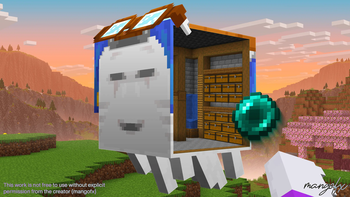
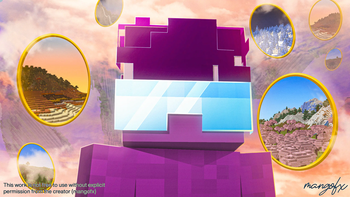
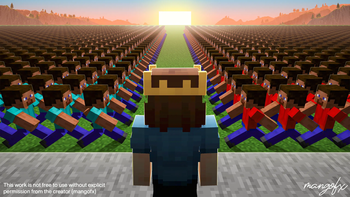

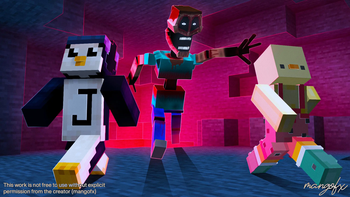
About this modpack
The definitive Minecraft thumbnail design modpack.
Crafted by a thumbnail designer, for thumbnail designers. This pack includes the essential tools needed to pose characters, build scenes, capture clean renders, and produce professional thumbnails with speed and consistency.
Features
| Tool | Purpose | | ------------------------- | --------------------------------------------------------------------------------------- | | NPC Studio | Spawn, pose, and animate NPCs for character setups. | | Bobby | Load and render distant chunks for cinematic backgrounds. | | Optimization Suite | Tweaked for high FPS and shader-friendly performance. | | DMS | Generate depth maps for realistic atmospheric fog, lens blur, and depth-based effects. | | NMS | Render normal maps to easily shade and relight characters for dramatic lighting. | | WEM | Render white-masked entities to quickly cut out characters in thumbnails. | | BDS | Render shadows and ambient occlusion while keeping vanilla style intact. | | WorldGen Enhancements | Four terrain presets for building dramatic scenes and environment compositions. |
NPC Studio Guide
<iframe width="560" height="315" src="https://www.youtube-nocookie.com/embed/j3lGA7y5b9o" title="YouTube video player" frameborder="0" allow="accelerometer; autoplay; clipboard-write; encrypted-media; gyroscope; picture-in-picture; web-share" allowfullscreen></iframe>
FAQ
<details> <summary><strong>How do I use NPC Studio?</strong></summary> Watch this video: https://www.youtube.com/watch?v=j3lGA7y5b9o </details>
<details> <summary><strong>The NPC Wand isn't working. How do I fix it?</strong></summary> Hold "alt" to bring up the axiom options menu, and ensure the "Tinker" option on the left of the menu is disabled. If that doesn't fix it, please join the MDH Discord: https://discord.gg/uE7gFcZ7QB </details>
<details> <summary><strong>Can I use this modpack to make commercial thumbnails?</strong></summary> Yes — commercial use is allowed. You can create and monetize thumbnails, videos, streams, and artwork made using this modpack. However, you may not reupload or redistribute the modpack by another name. </details>
<details> <summary><strong>How does this compare to software like Blender or Blockbench?</strong></summary> Blender is more powerful, but it comes with a steep learning curve and slow workflow for quick scene iteration. This modpack is optimized for speed and thumbnail-ready composition directly in Minecraft, then finished in Photoshop. Furthermore, nearly every prominent thumbnail artist uses some variation of this workflow. If that isn't enough proof, take a look at the gallery for thumbnails I've made using only this modpack and Photoshop. </details>
<details> <summary><strong>I'm having issues with NPC Studio. Where do I get help?</strong></summary> NPC Mod's Discord: https://discord.gg/uE7gFcZ7QB </details>
<details> <summary><strong>I'm having issues with the modpack in general. Where do I get help?</strong></summary> For troubleshooting or setup questions, please join the Thumbnailers Discord (https://discord.gg/TTC7Uvm2N8), or DM @mangofx. </details>
<details> <summary><strong>Where can I get feedback on my designs?</strong></summary> Feel free to join Thumbnailers, the biggest Minecraft thumbnail design community: https://discord.gg/TTC7Uvm2N8 </details>
Disclaimer: I don't own any mods provided in this pack. All credit goes to the original mod developers. I simply compiled these mods into one unified modpack for ease of use.
Want to go one step further?
Visit https://mangofx.art to explore asset packs that will instantly take your thumbnails to the next level.
Modpack wiki coverage
Orca uses the project's published metadata and version files as the source of truth. Item, block, mob, recipe, structure, dimension, GUI, and mechanic pages are added after their included mod files are extracted and attributed.