- Downloads
- 4.3K
- Mod loaders
- fabric
- Minecraft versions
- 1.20.4, 1.20.2, 1.20.1
- Categories
- lightweight, multiplayer, optimization
Vulkanizer screenshots
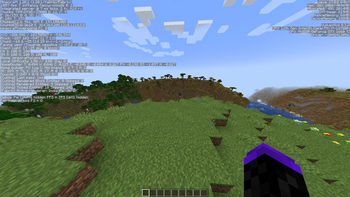
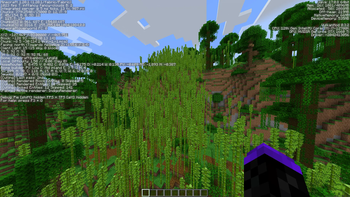

About this modpack
[THIS PROJECT HAS BEEN ARCHIVED] Feel free to fork this and make your own version as long as it's open source.
Replaces OpenGL with Vulkan by using <a href="https://modrinth.com/mod/vulkanmod">VulkanMod</a> along with adding some other performance and Quality of Life mods. Vulkanizer is meant to be light weight at ~30mb when installed. Vulkanizer also includes a couple Quality of Life mods such as <a href="https://modrinth.com/mod/zoomify">Zoomify</a>
<h2>💾 Installation</h2> Installing Vulkanizer is pretty easy. Before anything else, check if your graphics card supports Vulkan, most computers within the last 8 years support it, then you can choose to install it in a couple ways, you can use the <a href="https://modrinth.com/app">Modrinth App</a> or something like <a href="https://prismlauncher.org/">Prism Launcher</a>. With the Modrinth app, just search up the modpack, and press install! On Prism Launcher, go to New Instance, click on Modrinth, Search Vulkanizer, and click OK. <br><br>
<h2>🔥 Performance</h2>
- i7-12700k/Nvidia GTX 1660ti (<a href="https://cdn.discordapp.com/attachments/1014249566176022590/1155582874028884100/image.png">Vanilla</a>: 390fps | <a href="https://cdn.discordapp.com/attachments/1014249566176022590/1155583721202778242/image.png">Vulkanizer: </a> 1057fps)
<br>
- i7-1165G7/Intel Xe graphics (<a href="https://steamuserimages-a.akamaihd.net/ugc/2094793997884427999/8CC928E4A293D8D81E66F7777087303985B0B693/
">Vanilla</a>: 43fps | <a href="https://steamuserimages-a.akamaihd.net/ugc/2094793997884428839/2A8FA4CE7E84BFE816941FB092EB4D5FD6951525/">Vulkanizer</a>: 117fps) <br> This area is work in progress! <br><br>
<h2>🐛 Have an issue or suggestion?</h2> If you have found an issue or you would like to suggest something to be added, you can go to the modpack's Github <a href="https://github.com/Kinda-Stormy/Vulkanizer/issues">issues</a> page.
Modpack wiki coverage
Orca uses the project's published metadata and version files as the source of truth. Item, block, mob, recipe, structure, dimension, GUI, and mechanic pages are added after their included mod files are extracted and attributed.