- Downloads
- 1.4M
- Mod loaders
- fabric
- Minecraft versions
- 1.20.1, 1.19.2
- Categories
- adventure, challenging, combat
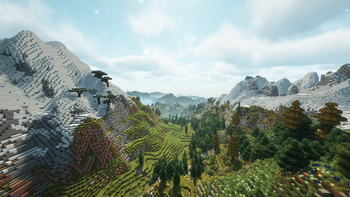
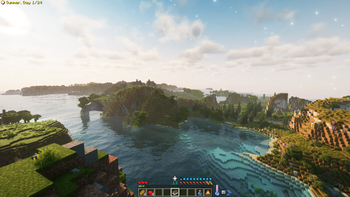
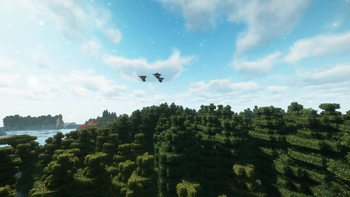
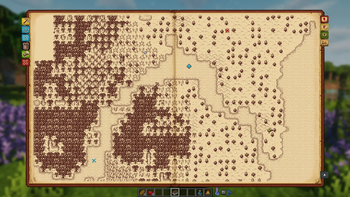
Aged screenshots

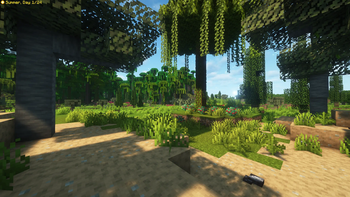
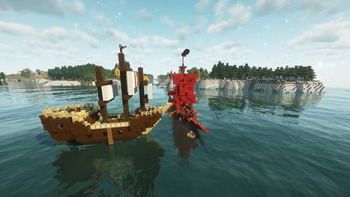
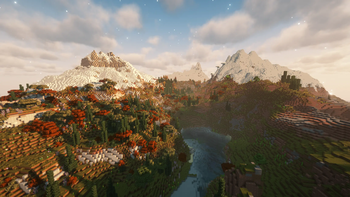
About this modpack
<center>
A challenging medieval based modpack where realism & wisdom rule your life.
!aged wooden tiler four seasons
You awaken in the Tales of Aged wilderness. You quickly realize that you need to gather supplies & craft some flint tools. Fresh water and body temperature become important pretty soon. Your character is still weak, so you go an adventure to gather experience to increase your skills and attributes. That's where your story begins.
!aged wooden tiler four seasons
<strong> <font size="5">Features</font> </strong> <p></p> </center>
- 💧 Hydration - boil water to receive purified water that you can safely consume
- 🍖 Nutrition - eat a balanced diet, but don't eat spoiled dishes
- ❄️ Temperature - keep yourself cozy in all areas
- 🌍 Seasons - prepare for winter & check your crops
- 🧮 Skills - gather xp to improve your characters aspects
- 🛠️ Jobs - assign up to 3 jobs to receive xp faster
- 🏡 Settle - explore & protect your goods against enemy forces
- 🪙 Trade - you'll stumple upon more wandering traders & other traders
- ⚔️ Fight - mobs get stronger the further you go. At the same time they offer more loot
- ♟️ Bosses - more than 6 unique boss fights to defeat
- 🎒 Backpacks - store goods in drawers or use portable backpacks
- 🔨 Upgrade Tools - smith gems onto tools while also increase the rarity
- 📦 Sieve - filter items trough sieves to get common to rare items
- 🪑 Furniture - decorate with [Let's Do] & Another Furniture
- 🦖 Archeology - reveal ancient fossils & powerful enchantments
- ✨ Decorate - various blocks from Chipped & Stoneworks
<center>
!aged wooden tiler four seasons
<strong> <font size="5">Tales of Aged</font> </strong> <p></p>
You're most likely asking yourself what the differences between Aged Lite & Aged are. Aged Lite is a lightweight version of Aged with close to 0 aesthetic & visual mods. Since Aged v 3.1.0 both modpacks are compatible with each other. Take a look at the Aged Lite Changelog to know which Aged version its compatible with.
<p align="center"> <a href="https://modrinth.com/modpack/aged-lite"><img src="https://raw.githubusercontent.com/xR4YM0ND/Tales-of-Aged/master/gallery/agedlitecollage.png" alt="aged lite collage" width="45%" /></a> <a href="https://modrinth.com/modpack/aged"><img src="https://raw.githubusercontent.com/xR4YM0ND/Tales-of-Aged/master/gallery/aged_collage.png" alt="aged collage" width="45%" /></a> </p>
!aged wooden tiler four seasons
<strong> <font size="5">FAQ</font> </strong> <p></p> </center>
> Q: Does Aged support multiplayer? > > A: Yes and No, Aged is build for singleplayer since v3.0.0 but can be downloaded as server file via e.g. ATLauncher / mrpack-install / docker. > > If you want to play with a friend we recommend to use e4mc to create a server for free. > > <font color="#AAAAAA">// The Lavender Guide Book probably won't work on servers.</font>
> Q: Is there a wiki or documentation? > > A: Ingame you'll find a guide book at first start. The command: > /get-lavender-book aged:aged_guide_book
> Q: Where to ask for help / bug report? > > A: For questions ask in modpack-chat on our Discord. For bugs pls open a github issue.
<center>
!aged wooden tiler four seasons
<strong> <font size="5">Known Bugs</font> </strong> <p></p> </center>
> Modded Logs can't be stripped > > Try to strip them in a Woodcutter
> Flint and Steel does'nt show in EMI > > Combine flint & steel ingot in a crafting grid
> Dungeon Compass on cartography table crash > > Disable the mod Fancy Menu -> link the compass -> reenable Fancy Menu
> Enchanting Table crash > > Could work since v 3.1.0, if not try several times. > > <font color="#AAAAAA">// you could play with other mods like MC Dungeons Enchanting or Enchanting Infuser</font>
<center>
!aged wooden tiler four seasons
</center> <details> <summary>Mods / Resourcepacks / Datapacks / Shaders</summary>
- [[EMF] Entity Model Features](https://modrinth.com/mod/entity-model-features)
- [[ETF] Entity Texture Features](https://modrinth.com/mod/entitytexturefeatures)
- [[Let's Do Addon] EMI Compat](https://modrinth.com/mod/lets-do-emi-compat)
- [[Let's Do] API](https://modrinth.com/mod/do-api)
- [[Let's Do] Bakery - Farm&Charm Compat](https://modrinth.com/mod/lets-do-bakery-farmcharm-compat)
- [[Let's Do] Brewery - Farm&Charm Compat](https://modrinth.com/mod/lets-do-brewery-farmcharm-compat)
- [[Let's Do] Candlelight - Farm&Charm Compat](https://modrinth.com/mod/lets-do-candlelight-farmcharm-compat)
- [\[Let's Do\] Farm & Charm](https://modrinth.com/mod/lets-do-farm-charm)
- [[Let's Do] HerbalBrews](https://modrinth.com/mod/lets-do-herbalbrews)
- [[Let's Do] Meadow](https://modrinth.com/mod/lets-do-meadow)
- [[Let's Do] NetherVinery](https://modrinth.com/mod/lets-do-nethervinery)
- [[Let's Do] Vinery](https://modrinth.com/mod/lets-do-vinery)
- 3D Skin Layers
- AdditionZ
- AdvancementsFullscreen
- AdvancementsSearch
- AdventureZ
- Aged Addition
- Almanac
- Amarite
- Ambient Environment
- Another Furniture
- Antique Atlas 4
- AppleSkin
- Architectury API
- ARRP
- Astrocraft
- Async Locator
- Athena
- AutoTag
- BackSlot
- BackSlotAddon
- BadOptimizations
- Balm
- Better Archeology
- Better Combat
- Better End Cities Vanilla
- Birds | Boids Addon
- Blur
- Boids
- Borderless Mining
- Building But Better
- CameraOverhaul
- Chalk
- Chalk: Colorful Addon
- Chipped
- Cloth Config API
- Combat Roll
- Complementary Unbound <font color="#AAAAAA">[Shader]</font>
- [Connectible Chains \[Fabric\]](https://modrinth.com/mod/connectiblechains)
- Couplings
- Crawl
- Create The Server Datapack <font color="#AAAAAA">[Datapack]</font>
- Creeper Overhaul
- Crop Growth Modifier
- Default Options
- Dehydration
- Desert Dungeon - DungeonZ Addon
- DEUF Refabricated
- Distant Horizons
- Drip Sounds (Fabric)
- Dungeon Now Loading
- Dungeons and Taverns --(Permission)
- Dungeons and Taverns Ancient City Overhaul
- Dungeons and Taverns Pillager Outpost Rework
- Dungeons and Taverns Stronghold Rework
- Dungeons+
- DungeonZ
- EarlyStage
- EMI
- EMI Enchanting
- EMI Loot
- EMI Ores
- EMI Trades
- EMIffect
- End Remastered
- Enderman Overhaul
- Entity Culling
- EnvironmentZ
- Euphonium
- Exposure
- Extended Drawers
- ExtendedDrawersAddon
- Fabric API
- Fabric Language Kotlin
- Fabric Seasons
- Fancy Block Particles - Renewed
- Fancy Menu
- FancyFast Bushy Leaves <font color="#AAAAAA">[Resourcepack]</font>
- FerriteCore
- First-person Model
- Fishing Real
- FleshZ
- Forge Config API Port
- Formations (Structure Library)
- Formations Nether
- Formations Overworld
- Fresh Animations <font color="#AAAAAA">[Resourcepack]</font>
- Fresh Animations - Extensions <font color="#AAAAAA">[Resourcepack]</font>
- Fresh Moves (with eyes) <font color="#AAAAAA">[Resourcepack]</font>
- Fzzy Config
- Gardens of the Dead
- Geckolib
- Grass Overhaul
- Hearths
- HerdsPanic
- Hopo Better Mineshaft
- Hopo Better Underwater Ruins
- HT's TreeChop
- ImmediatelyFast
- Immersive Aircraft
- Immersive Armors
- Immersive Snow
- Immersive UI
- ImmersiveThunder
- Indium
- Inmis
- InmisAddon
- Iris Shaders
- Iris/Oculus & GeckoLib Compat
- JobsAddon
- Jump Over Fences
- Kiwi Library
- Konkrete
- Lavender
- Let Me Despawn
- LevelZ
- LibZ
- Lithium
- Load My F***ing Tags
- Load My Resources
- Log Begone
- lootbeams
- Lootr
- Luki's Grand Capitals
- M.R.U
- Medieval Buildings
- Medieval Weapons
- Melody
- Memory Leak Fix
- MES - Moog's End Structures
- MNS - Moog's Nether Structures
- Mod Menu
- Model Gap Fix
- ModernFix
- Moonlight Lib
- More Culling
- Nameplate
- Naturalist
- Nature's Spirit
- Neruina - Ticking Entity Fixer
- NiftyCarts
- Nimble
- Noisium
- NutritionZ
- OctoLib
- Overflowing Bars
- owo (owo-lib)
- Particular
- PartyAddon
- Passable Foliage
- Paxi
- Phantom Loader
- Photon <font color="#AAAAAA">[Shader]</font>
- [Pixel Perfect \[Let's Do Addon\]](https://modrinth.com/resourcepack/lets-do-pixel-perfect) <font color="#AAAAAA">[Resourcepack]</font>
- playerAnimator
- Pockets
- Presence Footsteps
- Profundis: Seven New Quality Cave Biomes
- Puzzles Lib
- Raise Sound Limit Simplified
- RAY's 3D Ladders <font color="#AAAAAA">[Resourcepack]</font>
- RAY's 3D Rails <font color="#AAAAAA">[Resourcepack]</font>
- RecipeRemover
- Resourceful Config
- Resourceful Lib
- Revive
- RpgDifficulty
- Scholar
- Seamless Loading Screen
- SeasonHUD-Fabric
- Ships
- Shut Up GL Error
- Small Ships
- Smarter Farmers (farmers replant)
- SmitherZ
- Smooth Scrolling Refurbished
- Smooth Swapping
- Sodium
- Sound Physics Remastered
- Sounds
- Sparse Structures
- Spawn Animations
- Spider Caves
- SpoiledZ
- Stoneworks
- Superb Steeds
- SuperMartijn642's Config Lib
- Surveyor Map Framework
- Sushi Bar
- TCDCommons API
- TerraBlender
- The Lost Castle
- TieredZ
- Time & Wind
- ToolTipFix
- Translucency Fix
- TravelerZ
- Trinkets
- True Ending: Ender Dragon Overhaul
- Underground Jungle
- Unnamed Deserts
- VillagerTradeFix
- Villager Transportation
- Villages&Pillages
- VoidZ
- WelcomeScreen
- William Wythers' Overhauled Overworld <font color="#AAAAAA">[Datapack]</font>
- YUNG's API
- YUNG's Better Desert Temples
- YUNG's Better End Island
- YUNG's Better Jungle Temples
- YUNG's Better Nether Fortresses
- YUNG's Better Ocean Monuments
</details>
<details> <summary>Legacy Mods / Resourcepacks / Datapacks / Shaders</summary>
- Adaptive Tooltips
- Advancement Debug
- Alternate Current
- AmbientSounds
- Amecs
- Anti Ghost
- Archers (RPG Series)
- Areas
- Armorful
- AttributeFix
- Auto Third Person
- AzureLib
- AzureLib Armor
- BCLib
- Beautify: Refabricated
- Better Advancements
- Better Biome Blend
- Better Clouds
- Better Flame Particles <font color="#AAAAAA">[Resourcepack]</font>
- Better Ladders
- Better Mount HUD
- Better Nether Map
- Better Smithing Table
- Better Statistics Screen
- Better Than Mending
- Better Third Person
- BetterEnd
- BetterNether
- Biome Moss
- Blockstates + <font color="#AAAAAA">[Resourcepack]</font>
- Blossom
- Boat Item View
- Bookshelf
- Brewin And Chewin --(Permission)
- Bushier Flowers
- Cardinal Components API
- Carpeted Stairs & Slabs
- Catalogue
- Cave Dust
- Charm of Undying
- Charmonium
- Chunks Fade In
- CIT Resewn
- ClearDespawn
- Collective
- Colorful Hearts
- CompleteConfig
- Continents
- Continuity
- Controlling
- Corality <font color="#AAAAAA">[Resourcepack]</font>
- Corgi Lib
- Craftable Invisible Item Frames
- CraftPresence
- CreativeCore
- Creatures From The Snow
- Cristel Lib
- CTM Refabricated
- Custom Portals
- Custom Spawns
- Dark Loading Screen
- Dawn API
- Debugify
- Deeper Oceans
- Detail Armor Bar
- Disable Accessibility Screen
- Disenchanter
- Dismount Entity
- Do a Barrel Roll
- Drippy Loading Screen
- Dyed
- Dynamic Crosshair
- Dynamic Crosshair Compat
- Dynamic FPS
- e4mc
- Early Loading Screen
- Easy Magic
- Eating Animation
- Eclectic Trove <font color="#AAAAAA">[Resourcepack]</font>
- Ecologics --(Permission)
- Elytra Slot
- Elytra Trims
- EMI Addon: Extra Mod Integrations
- EMI Compat
- Enchanted Vertical Slabs
- Enchantment Descriptions
- Enhanced Celestials
- Enhanced Workbenches
- Entity Collision FPS Fix
- Equipment Compare
- Eugene's Wealthy Plains
- Even Better Archeology
- Event
- Expanded Delight
- Experience Bottler
- Extra Sounds
- Extraordinary Extra Totems
- Fabric Seasons: Extras
- Fabric Shield Lib
- Falling Leaves
- Farmers Delight
- Farmers Respite
- Flintl0cks --(Permission) <font color="#AAAAAA">[Resourcepack]</font>
- FPS Reducer
- Frame API
- Freshly Modded --(Permission) <font color="#AAAAAA">[Resourcepack]</font>
- Fzzy Core
- Gazebos (RPG Series)
- Gear Core
- Geocluster
- Geophilic
- Go Fish
- Guard Villagers)
- Guarding
- Handcrafted
- Health Overlay
- Hellion's Sniffer+
- Hero Proof
- Hopo Better Ruined Portals
- Horse Buff
- Horse Expert
- Ice Boat Nerf
- Iceberg
- Illager Invasion
- Immersive Melodies
- Interactic
- Inv Move
- Inventory Sorting
- Item Borders
- Item Model Fix
- Items Displayed
- ItemSwapper
- Krypton
- Lambda Better Grass
- LazyDFU
- Leaf Me Alone
- [Legacy: [Let's Do] Bakery](https://modrinth.com/mod/lets-do-bakery)
- [Legacy: [Let's Do] Brewery](https://modrinth.com/mod/lets-do-brewery)
- [Legacy: [Let's Do] Candlelight](https://modrinth.com/mod/lets-do-candlelight)
- Legendary Tooltips
- Linkart
- Loyal Items
- Macaw's Fences and Walls
- Macaw's Roofs
- Macaw's Windows
- Make Bubbles Pop
- MakeUp - Ultra Fast <font color="#AAAAAA">[Shader]</font>
- Map Atlases
- Masik's Puzzle Dungeon
- MC Dungeons Enchanting
- Menulogue
- Midnight Lib
- Minerally
- Mixin Conflict Helper
- MixinTrace
- Mob Catalog
- Moisturization
- More Chat History
- More Geodes
- More Mob Variants
- More Mob Variants x Fresh Animations <font color="#AAAAAA">[Resourcepack]</font>
- Musket Mod
- Mythic Charms
- NBT Crafting
- NBT Tooltip
- Necronomicon API
- Nether's Delight --(Permission)
- Nicer Skies
- No Chat Reports
- Not Enough Animations
- Not Enough Crashes
- Notes
- Numismatic Overhaul
- NumismaticClaim
- On Soul Fire
- Open Parties and Claims
- Overweight Farming
- Packet Fixer
- Panda's Extra Details
- Particle Rain
- Particle Tweaks
- Passive Shield
- Patchouli
- PatchouliButton
- Pehkui
- Polymorph
- Prism
- Projectile Damage Attribute
- Quality Sounds
- Reacharound
- Realistic Bees
- Reese's Sodium Options
- Reroll
- Respawning Animals
- Roughly Enough Items (REI)
- Roughly Enough Professions (REP)
- Satin API
- Sculk Expansion
- Searchables
- Shoulder Surfing Reloaded
- Show Me Your Skin!
- Simple Voice Chat
- Skeletal Remains
- Sleep Tight
- SleepWarp
- Snow Under Trees (Fabric)
- Snuffles (Fabric)
- Sodium Extra
- Sodium Shadowy Path Blocks
- Sooty Chimneys for Fabric
- Sound Controller
- Spark
- Spell Engine
- Spell Power Attributes
- Spice of Fabric
- Spyglass Astronomy
- Spyglass Improvements
- Stamina
- Starlight (Fabric)
- Starter Kit
- Stendhal
- Structory --(Permission)
- Structory Towers --(Permission)
- Structure Pool API
- Suggestion Tweaker
- Supplementaries
- Supplementaries Squared
- Takes A Pillage
- Target Dummy
- Third Person Maps
- Tidal Towns
- Tips
- Tom's Simple Storage
- Tool Trims
- Towns and Towers
- Travelers Titles
- Tridents 'n' Stuff
- Trinkets Curios Theme
- Trowel
- Ultreon Modding Library
- Unique Enchanted Books <font color="#AAAAAA">[Resourcepack]</font>
- Universal Ores
- Video Tape
- Villagers: Far From Home
- Visuality
- Wakes
- William Wythers' Expanded Ecosphere
- Xaero's World Map
- Xali's Bushy Leaves <font color="#AAAAAA">[Resourcepack]</font>
- Xali's Enhanced Vanilla <font color="#AAAAAA">[Resourcepack]</font>
- YetAnotherConfigLib
- YUNG's Better Dungeons
- YUNG's Better Mineshafts
- YUNG's Better Strongholds
- YUNG's Better Witch Huts
- YUNG's Extras
- YUNG's Menu Tweaks
</details>
<center> <strong> <font size="5">Credits</font> </strong> <p></p> <a href="https://discord.gg/WXdSYn4yHB" target="blank"> <img alt="Discord Fabricated Atelier" src="https://img.shields.io/discord/745451299713056791?color=7289DA&label=DISCORD&logo=discord&logoColor=white&style=for-the-badge"></a> <a href="https://github.com/xR4YM0ND/Aged/blob/master/LICENSE.md" target="blank"> <img alt="GitHub License" src="https://img.shields.io/github/license/xR4YM0ND/Aged?style=for-the-badge"></a> <a href="https://github.com/xR4YM0ND/Aged/tree/master" target="blank"> <img alt="GitHub Source Code" src="https://img.shields.io/badge/Github-SourceCode-lightgrey?style=for-the-badge"></a> </center> </div> <p></p> <div> <center> <a href="https://modrinth.com/user/xR4YM0ND" target="blank"> <img alt="xR4YM0ND Modrinth" src="https://img.shields.io/badge/Modrinth-xR4YM0ND-1bd96a?style=for-the-badge"></a> <a href="https://legacy.curseforge.com/members/spigotde/projects" target="blank"><img alt="xR4YM0ND Curseforge" src="https://img.shields.io/badge/Curseforge-xR4YM0ND-f16436?style=for-the-badge"></a> </center>
Modpack wiki coverage
Orca uses the project's published metadata and version files as the source of truth. Item, block, mob, recipe, structure, dimension, GUI, and mechanic pages are added after their included mod files are extracted and attributed.