- Downloads
- 327
- Mod loaders
- fabric
- Minecraft versions
- 1.21.11, 1.20.1
- Categories
- multiplayer, optimization
fps_boost+ screenshots
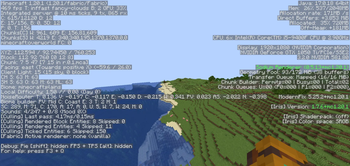
About this modpack
This mod significantly improves overall game performance by increasing the frame rate (FPS) and reducing input lag, which results in much smoother and faster response while playing Minecraft. Thanks to these optimizations, gameplay feels more fluid, especially on lower-end or mid-range devices. !👆👆👆 ![👆👆👆]
In addition to performance improvements, the mod helps make Minecraft much more stable. It reduces crashes, minimizes sudden frame drops, and provides a more consistent experience during long play sessions, making the game more reliable and enjoyable.
There is also a shader mod included that greatly enhances the visual quality of Minecraft. It improves lighting, shadows, reflections, and overall atmosphere, making the game look more realistic and visually appealing without sacrificing too much performance.
🔥
One of the best features of this mod is that all settings can be customized directly from داخل the game. This allows players to easily adjust performance and visual options without needing external tools or complicated steps, making the entire process much simpler and more user-friendly.
Finally, this mod also improves loading times by optimizing how the game handles resources. Worlds load faster, transitions are smoother, and overall startup time is reduced, saving players time and providing a better gaming experience.
Modpack wiki coverage
Orca uses the project's published metadata and version files as the source of truth. Item, block, mob, recipe, structure, dimension, GUI, and mechanic pages are added after their included mod files are extracted and attributed.